

- Release version: 2.0.5
- Released on: August 9, 2026
- Access: ELITEA Platform
New Features
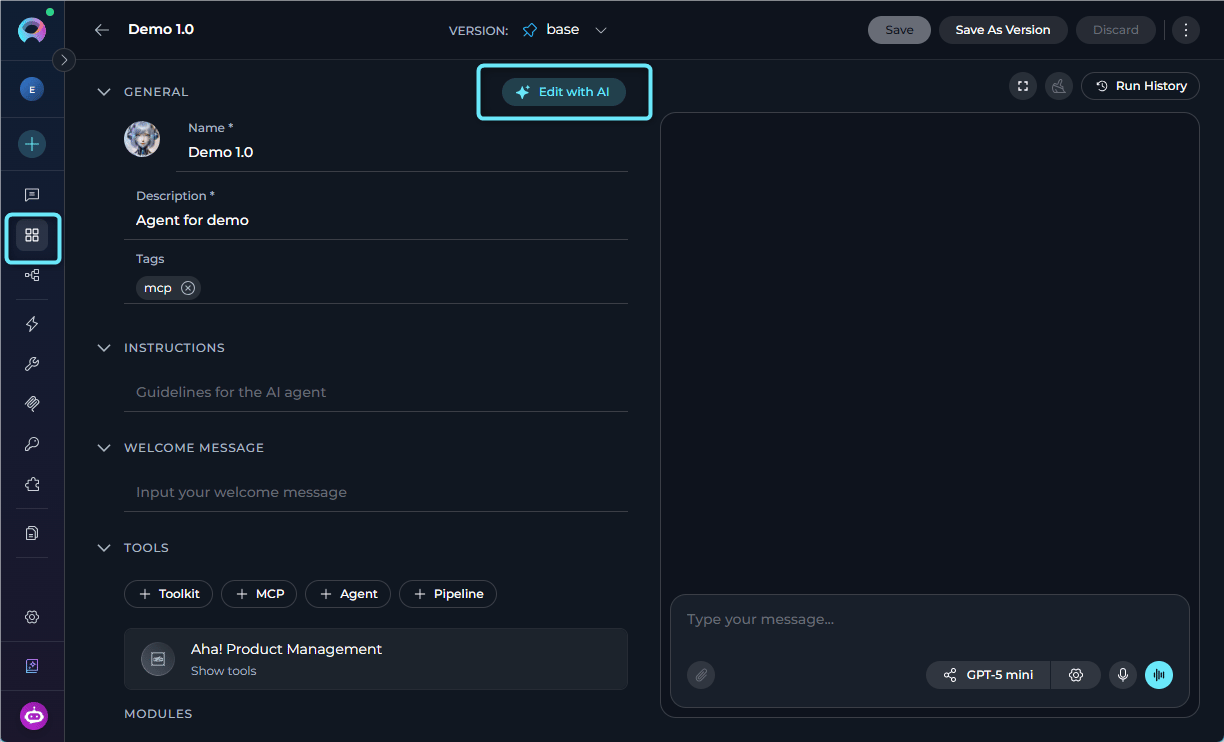
Edit with AI
You can now use Edit with AI to update existing agents, skills and project context. Describe desired changes in plain language, review AI-generated updates and apply only the changes you want.- Use Edit with AI to update: for agents - their details, instructions, user interaction, tools and skills; for skills - skill’s name, description and instructions; and for the Project Context - the content of the Project Background field.
- Review current vs. suggested content through side-by-side or step-based comparison flows that highlight differences.
- Keep full control over what gets applied by further editing, excluding unwanted suggestions, or canceling the flow entirely.
Progressive Disclosure of Skills
You can now let agents apply attached skills more autonomously through progressive disclosure, reducing the need to invoke every skill manually.- Get smarter skill-driven orchestration.
- Apply attached skills autonomously, allowing agents to use relevant skills without requiring an explicit
~skill-namein every message. - Ensure agents only work with the skills attached to their own configuration.
- Allow multiple relevant skills to be applied in the same turn when the task calls for them.
- Surface loaded skill details more clearly during execution so users can better understand which skills were applied.
Skill Publishing
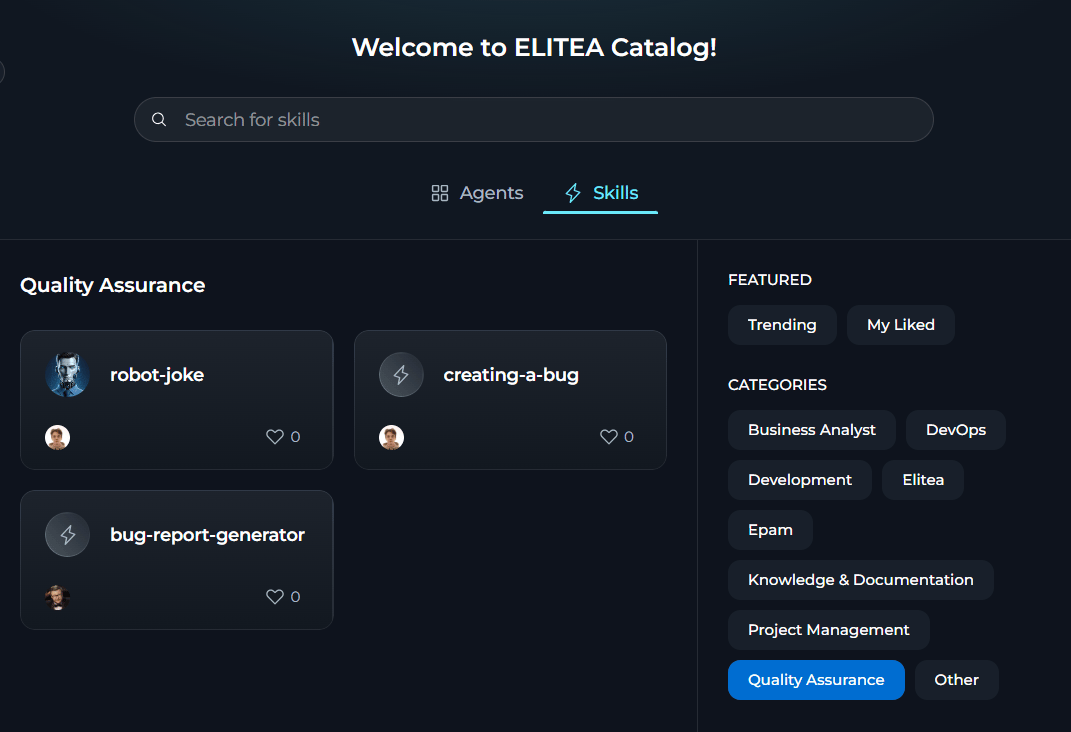
You can now publish reusable skills into a shared catalog through a guided flow backed by deterministic and AI-powered quality validation.- Publish skills to the Catalog through a guided self-service wizard with built-in deterministic and AI-assisted quality checks against skill name, description, instructions, icon, version name and category.
- Assign skills to curated categories so it is easier to browse and manage them in the shared catalog.
- Publish and manage multiple versions of the same skill, with version naming and validation handled within the publishing flow.
- Keep skills attached to an agent when it is published.
- Rely on platform-level controls to validate, block publishing, or unpublish skills.
Skills Customization and Forking
You can now fork skills across projects, personalize skills with custom icons and write richer skill instructions.- Maintain skills as reusable building blocks.
- Fork a skill version directly to another your project without manual export-and-import workarounds.
- Fork agents together with their attached skills to preserve skill-backed behavior.
- Write skill instructions up to 5,000 characters to ensure better guidance and include examples and output expectations.
- Upload custom icons for skills.
Aha! Toolkit
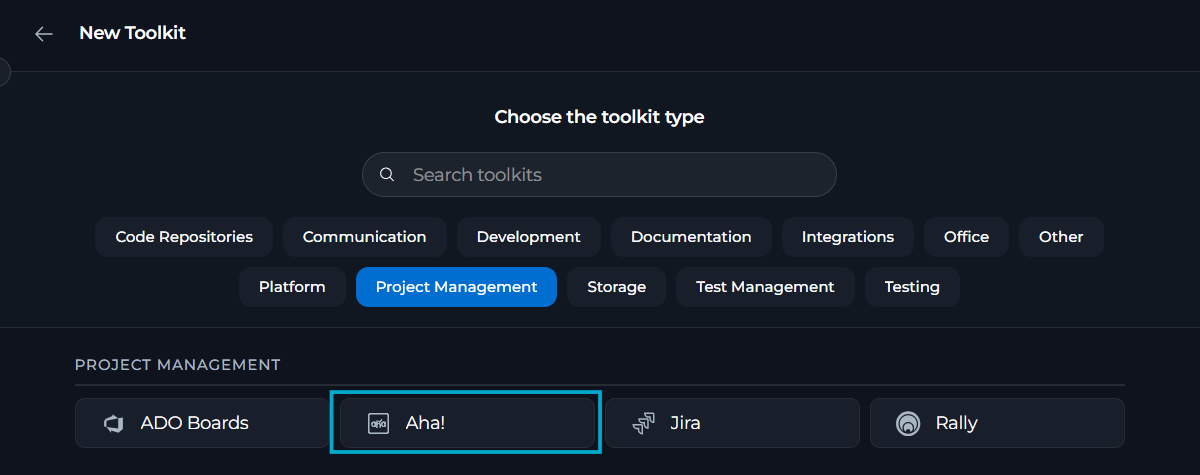
You can now connect Aha! as a native toolkit to work with product-management records in agents, pipelines and chats and index supported Aha! data for AI use.- Connect Aha! as a toolkit and validate the connection with clear success or error feedback.
- Use personal or project-scoped Aha! credentials for individual access or shared project use.
- Work with Aha! records through dedicated tools, including find projects, search, read, analyze and copy records, retrieve data, add comments, etc.
Bucket-Level Access to Team Artifacts
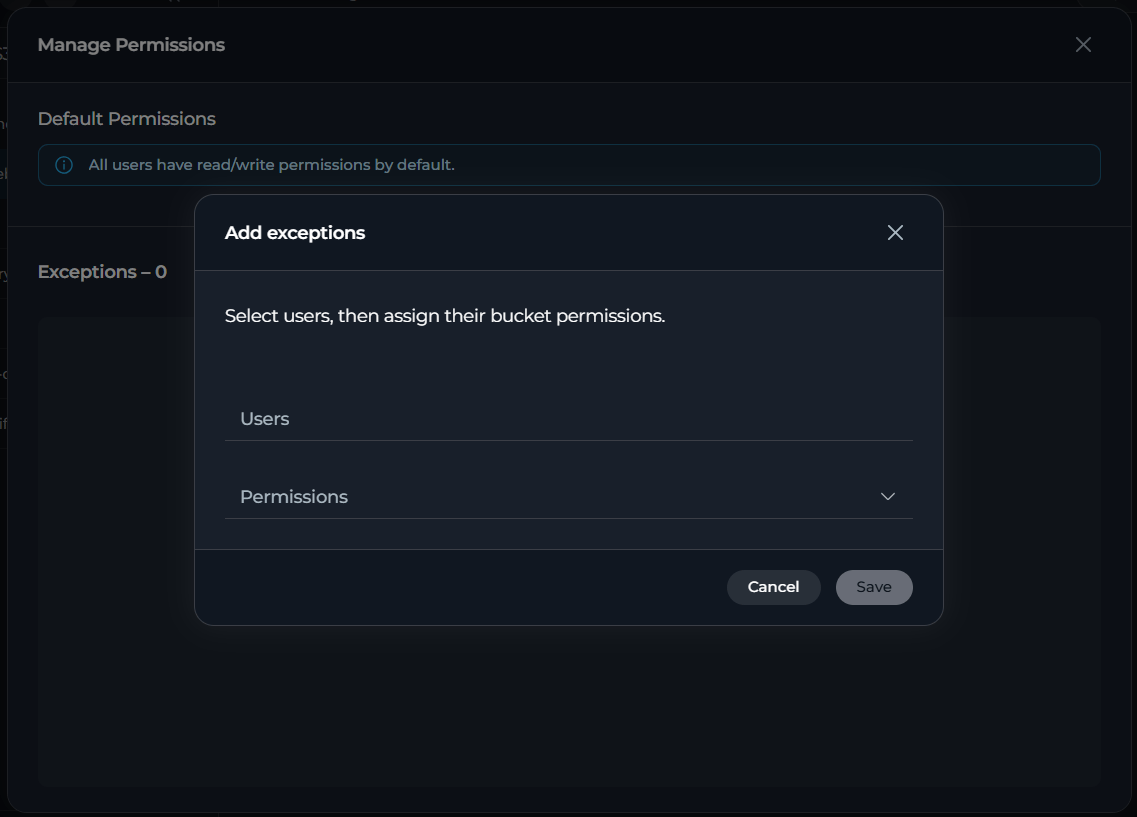
You can now control who can view or modify content in team artifact buckets through a redesigned Manage Permissions experience.- Manage access per bucket by assigning clear bucket permission levels.
- Use the redesigned Permission Exceptions view with searchable user selection, bulk actions and clear single-user or multi-user update patterns.
- Apply bucket-level permissions to all nested folders and files through a single permission model.
- Enforce bucket permissions consistently across the ELITEA Artifacts API and S3-compatible routes, preventing bypass through direct requests.
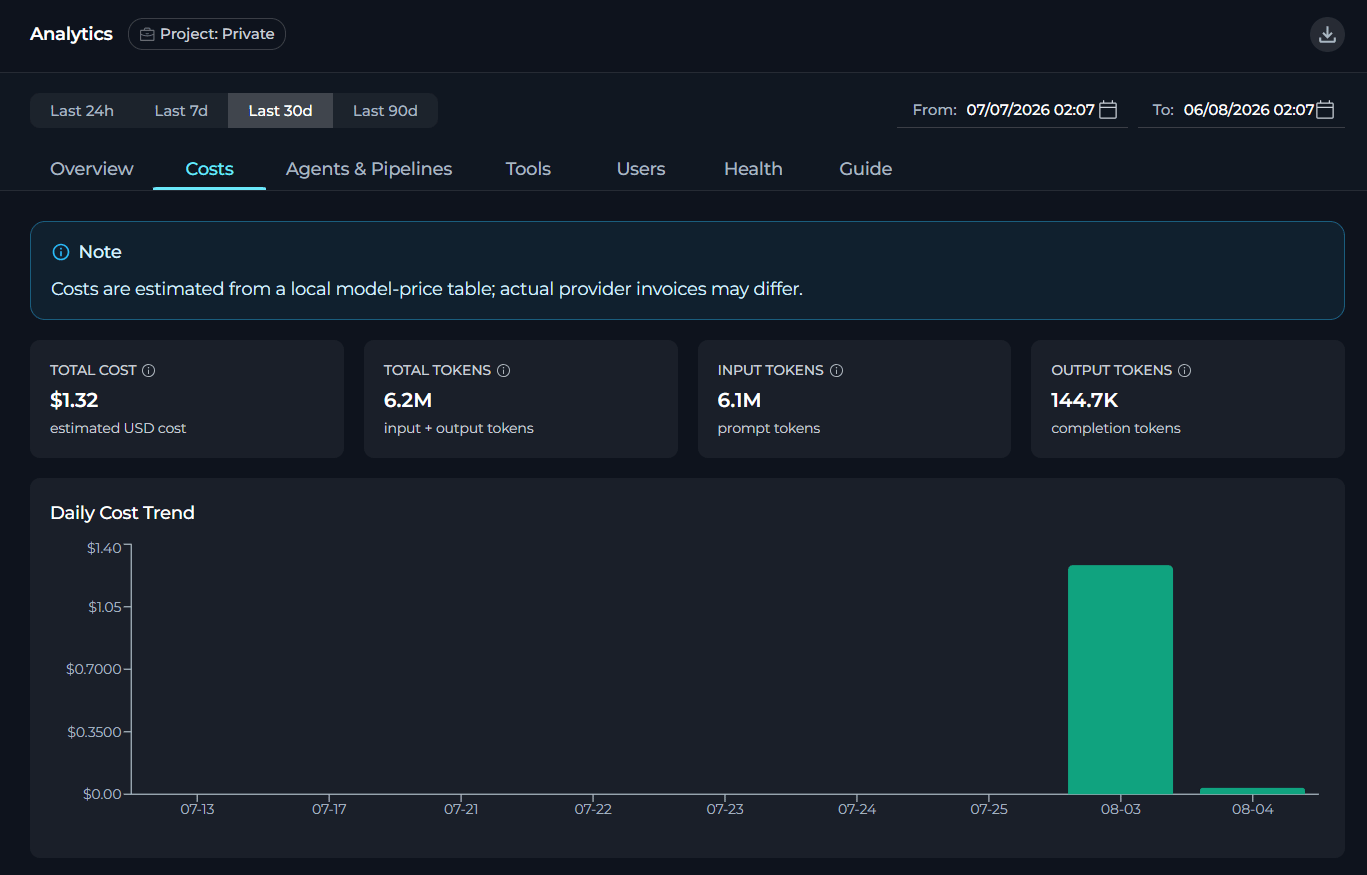
New Analytics for Costs
You can now track token usage, AI costs, sub-agent activity and chat-level insights across your projects.- Track token consumption across supported AI activities.
- Use enhanced cost tracking to better understand the financial impact of model usage.
- Gain clearer insight into delegated and nested agent execution through improved sub-agent observability.
- Understand conversation-level activities and usage patterns better through the expanded chat analytics.
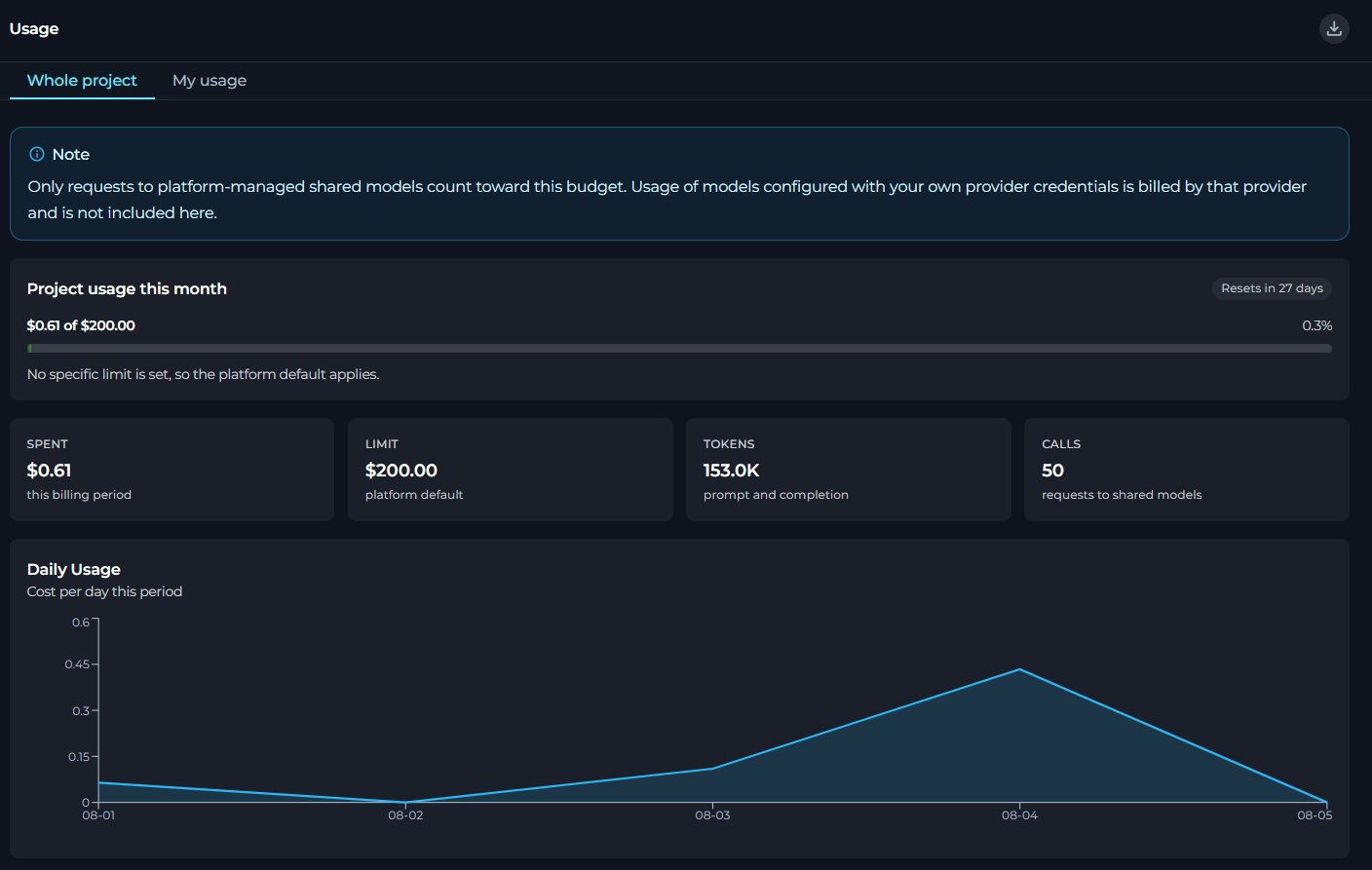
Usage in Settings
You can now track spending, token usage and model-level consumption from a dedicated Usage page in Settings, available for both private and team projects.- Review current usage in a single project-focused view for private projects, team projects and per-user views within team projects.
- Monitor monthly spend against budget limits and track when the billing period resets.
- Review prompt and completion token totals together with request counts for supported shared-model usage.
- Analyze model-level usage details including cost, calls, token volume and relative share by model.
- Export usage data to Excel.
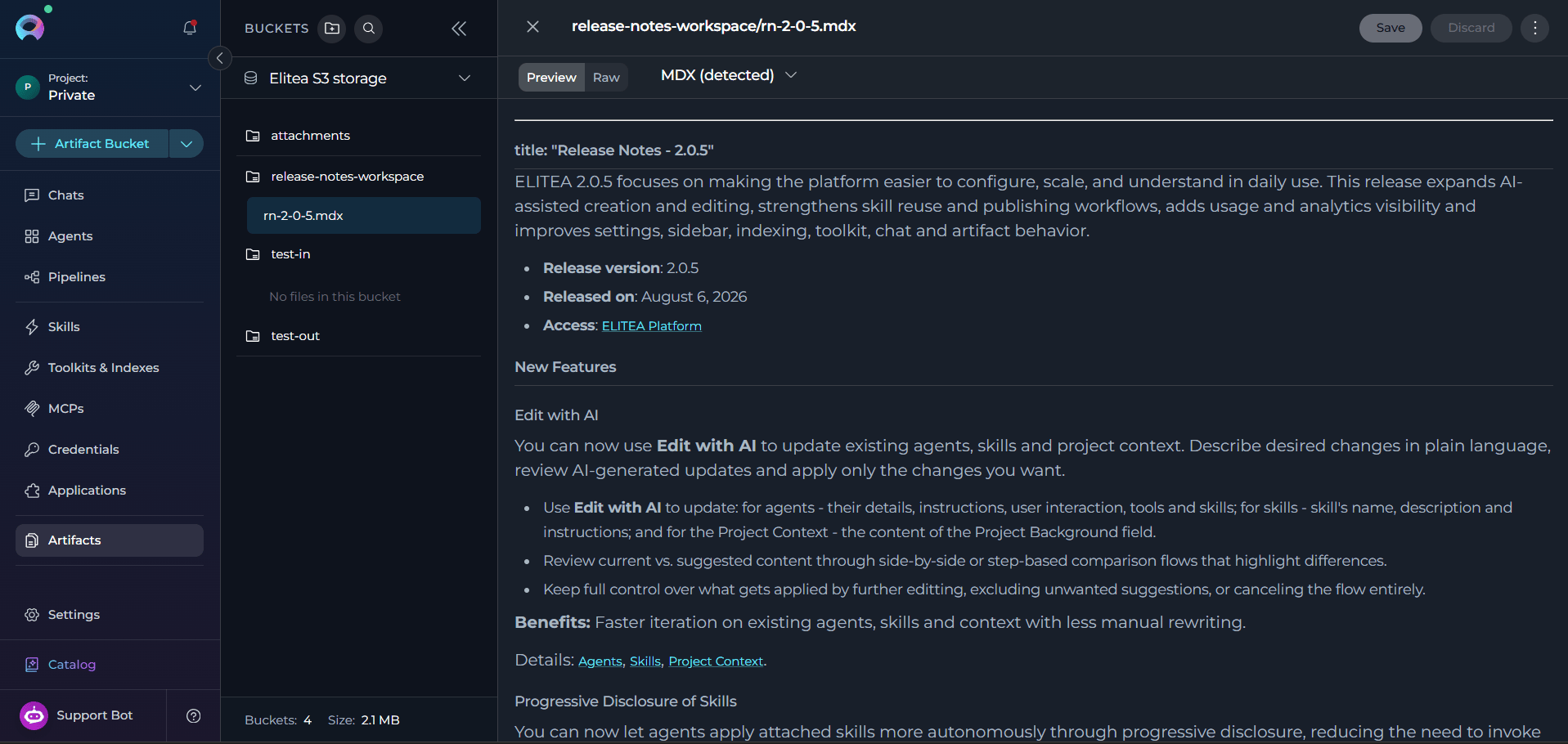
HTML and MDX Preview & Editing
You can now upload, preview, edit and save HTML and MDX files directly in the Artifacts and Chat canvas without leaving the platform.- Open
.html,.htmand.mdxfiles in Artifacts or directly from the generated chat results without downloading them first. - Switch between the Preview (default, renders output) and Raw (syntax-highlighted source editing) modes.
- Edit, save and discard changes in HTML or MDX source in the Raw mode, writing changes back to the same file in the same artifacts bucket and path.
- Rely on sandboxed preview isolation that prevents rendered HTML or MDX content from accessing ELITEA session data, cookies, local storage, or the parent page.
- Handle unsupported or unsafe MDX constructs by blocking execution in preview and displaying a clear warning when a file contains unsupported or unsafe components.
Personality-Specific Default User Instructions
You can now save different default user instructions for each personality type so that switching between personalities automatically switches to the matching instruction set.- Save separate default user instructions for each personality type.
- Switch between personalities and automatically restore the instructions previously saved for the selected personality.
- Start from a blank instruction field when opening an unconfigured personality, instead of inheriting unrelated text.
- Work with a dynamic instructions field that stays aligned with the selected default personality.
- Carry forward existing default instructions into the new personality-specific model for backward compatibility.
Changed Features
Toolkits & Indexes Redesign
You can now manage the full index lifecycle — from discovery and configuration to execution, scheduling and history — through a redesigned Toolkits & Indexes landing page.- Discover index-capable toolkits on the redesigned Toolkits & Indexes landing page with searchable toolkit cards, index counts and clearer breadcrumb-based navigation between toolkit- and index-level pages.
- Create and manage indexes from dedicated pages within the toolkit details view, with a safer reindex workflow and delete confirmation.
- Monitor index runs with clearer status indicators, indexed and skipped counts, structured run history and activity and search settings.
- Configure recurring indexing through a redesigned scheduling flow.
Safer Reindex Workflow
You can now update indexing-critical settings for an existing index through a safer reindex workflow that keeps saved configuration in sync with actual index contents.- Edit indexing-critical settings such as source settings, chunking parameters and filters through a workflow that recognizes when a reindex is required and applies changes through a dedicated reindex path rather than as ordinary settings updates.
- Avoid silent configuration drift where the stored index still reflects older parameters after toolkit settings have changed.
- Protect the existing index if a configuration-triggered reindex does not complete successfully.
- Get clearer signals when configuration edits affect index quality or source coverage and require rebuilding the index.
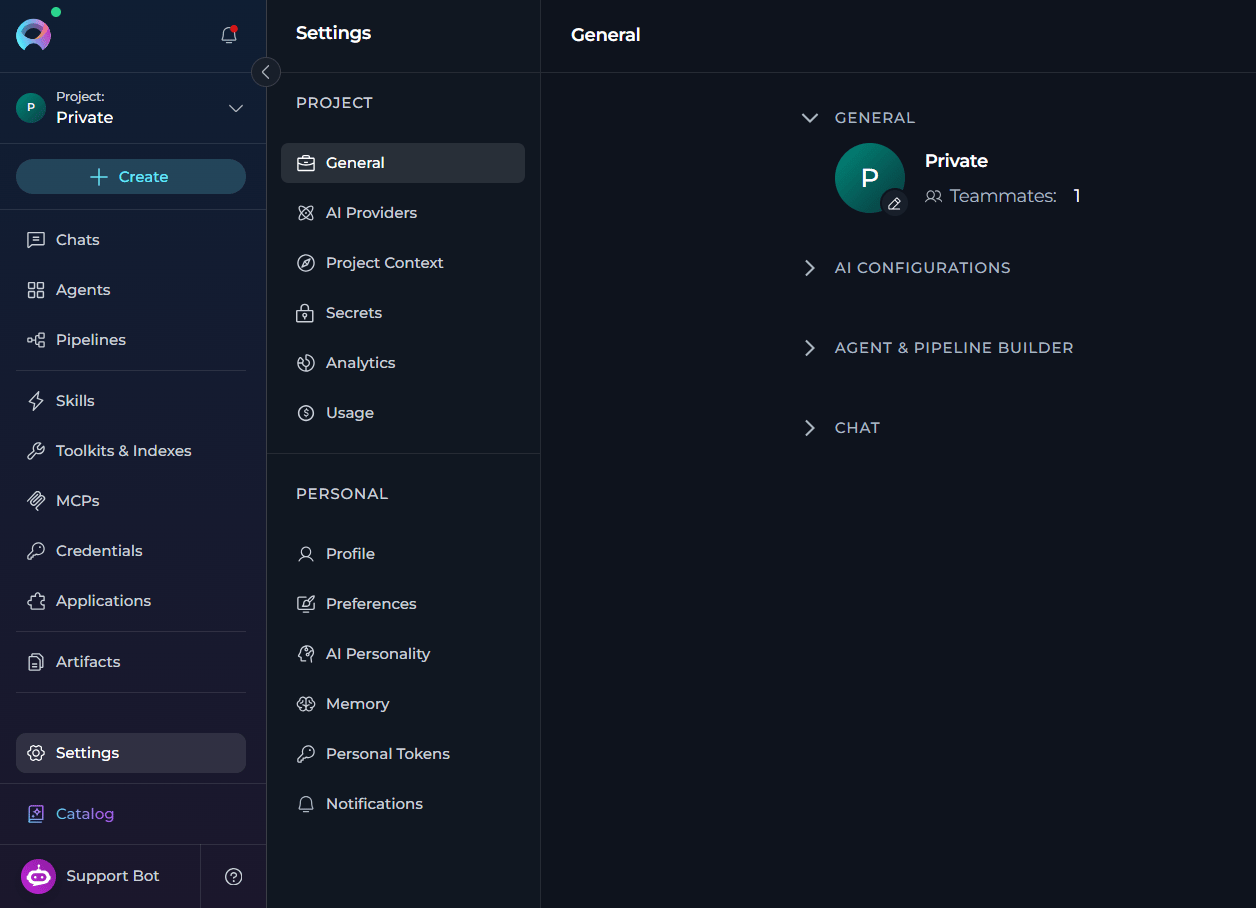
Reorganized Settings
You can now find project setup and personal preferences more easily through a reorganized Settings structure.- Navigate through redesigned Settings with clearer grouping and improved access to settings and notifications.
- Switch projects using a project selector at the top of the sidebar with default or custom project avatars for faster recognition.
- Benefit from improved notification visibility and access.
- Match ELITEA theme to your system theme automatically.
Updated Inventory Setup & Ingestion
You can now configure and operate the Inventory application more reliably with improvements across setup validation, ingestion control and bucket configuration.- Get clearer source-related validation feedback earlier in the app creation flow.
- Stop active ingestion runs more reliably when an interruption is needed.
- Avoid overlapping ingestion runs.
- Use a fixed internal bucket for Inventory data aligned to the dedicated
inventory-graphspath. - Work with more consistent field-label sizing in Inventory and related application setup flows.
- Use a more supportable Kubernetes deployment setup.
Internal Tools Renamed to Modules
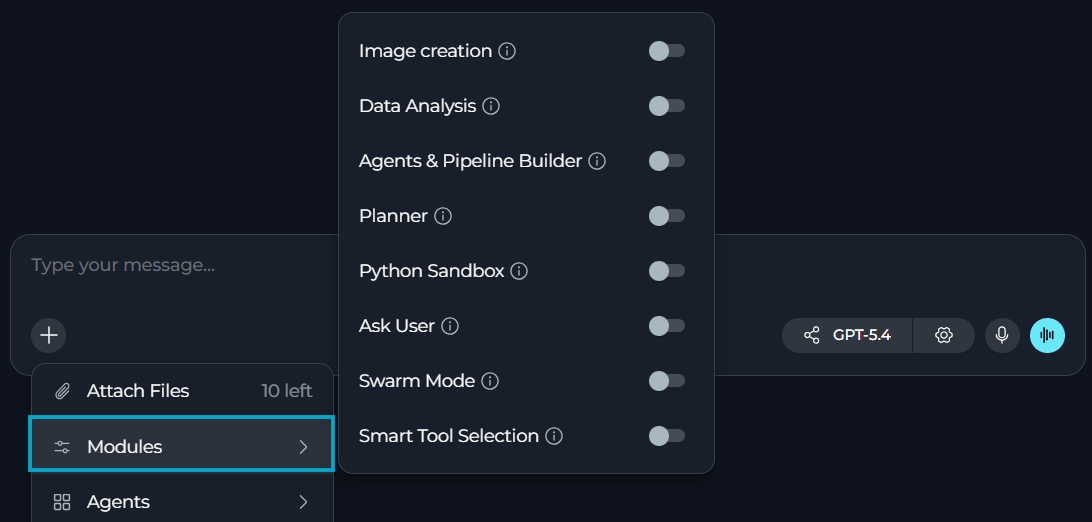
ELITEA now uses Modules instead of Internal Tools in key configuration and chat surfaces.- See Modules as the section label on agent and pipeline detail pages where built-in capabilities are configured.
- Continue using built-in capabilities such as image creation, data analysis, planner, Python sandbox, swarm mode, smart tools selection and related options without any workflow changes.
- Distinguish built-in platform capabilities more clearly from Tools, Toolkits and MCP Tools.
Fixed Issues
- #6057 Clicking Continue extends the previous incomplete response instead of replacing it with a separate fresh answer.
- #5996 GitLab toolkit initialization no longer fails on missing description values.
- #5994 GitLab root listing no longer requires a
pathvalue in the UI. - #5894 Remote MCP sessions no longer remain active after logout.
- #5823 Regenerated responses show the real thinking duration for that request.
- #5821 Model-specific settings align with the selected model behavior, preventing related sub-agent execution failures.
- #5819
@Everyonedoes not trigger the inconsistent LLM behavior or infinite-loop pattern. - #5784 Users no longer need to click Load tools to trigger authentication for a configured MCP.
- #5643 Nested agents with remote MCPs trigger the expected authorization request.
- #5638 SharePoint toolkits support a smart OAuth authentication flow for agents.
- #5391 Langfuse traces record all executed pipeline or agent nodes.
- #5390 Langfuse pipeline traces contain all the necessary data.
- #5267 Elitea MCP Tools are available when an agent is invoked as a sub-agent.
- #3745 Stopped indexing runs from chat, agents and pipelines have the correct status.