For advanced users who prefer code editing or need version-controlled pipeline definitions.

What is YAML View

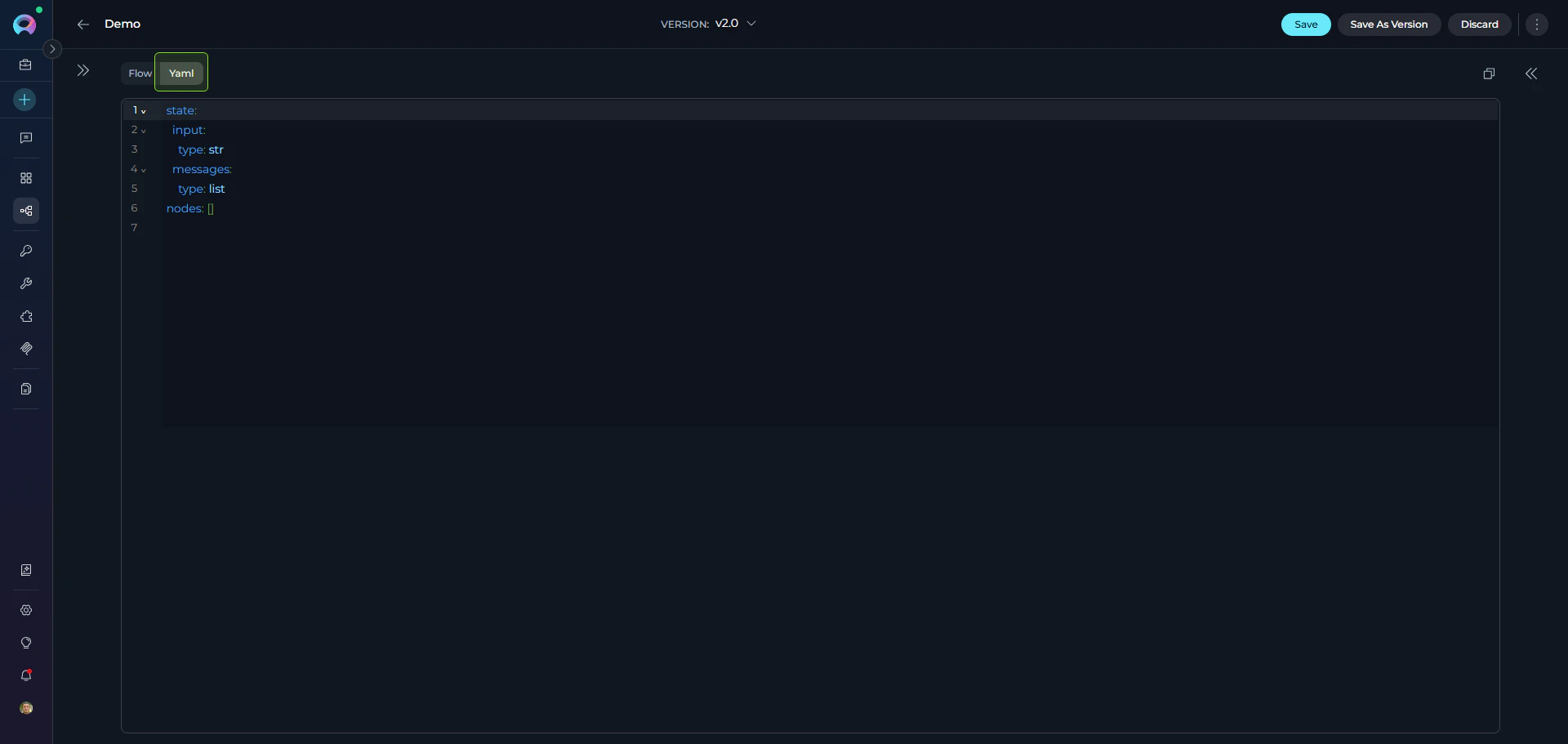
A code editor for pipelines in the Configuration tab (alongside Flow Editor) that provides direct access to pipeline YAML definitions. Features:
  • Instant Flow Sync: Changes sync instantly between YAML and Flow views
  • Syntax Highlighting: Color-coded YAML structure with CodeMirror
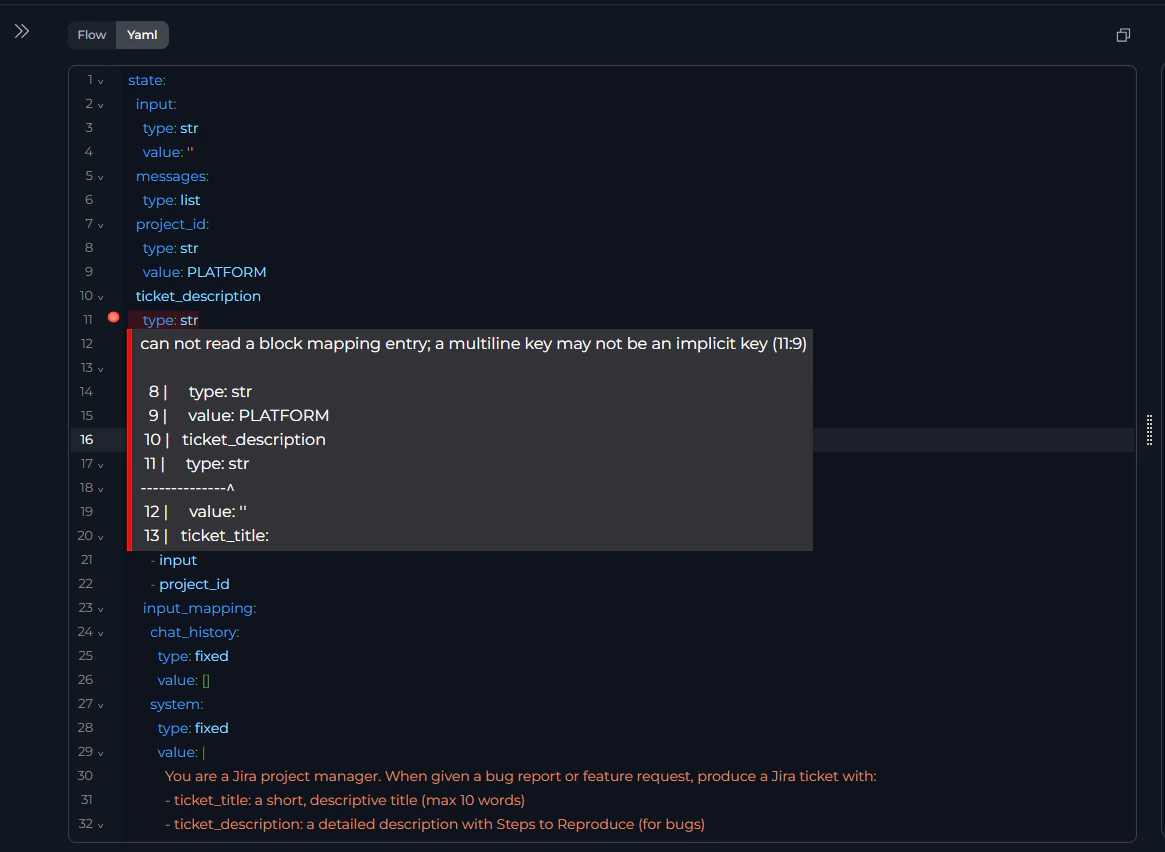
  • Real-time Validation: Immediate error feedback
  • Find & Replace: Ctrl+F (Windows) or ⌘+F (Mac)
  • Version Control: Copy/paste YAML for backup or sharing YAML Editor Interface
Schema Structure

Every pipeline has three required top-level sections:
entry_point: <node_id>        # Required
state: {...}                   # Required
nodes: [...]                   # Required
FieldTypeRequiredDescription
entry_pointString✔️Starting node ID
stateObject✔️State variable definitions
nodesArray✔️Node configurations

State Configuration

Defines all variables used across the pipeline. Each has a type and optional default value.

State Syntax

state:
  <variable_name>:
    type: <data_type>
    value: <default_value>  # Optional
Default variables like input and messages don’t require initial values—they are populated during pipeline execution.
Data Types:
TypeExample
string"Hello"
number42, 3.14
list[], ["a", "b"]
JSON{}, {"key": "value"}
Example:
state:
  input:
    type: string
  counter:
    type: number
    value: 0
  qna_list:
    type: list
    value: []
  metadata:
    type: JSON
    value: {}
  • Use descriptive names (user_query vs q)
  • Initialize accumulators ('', [], 0)
  • See States Guide for details

Node Configuration

The nodes array contains all pipeline nodes with common structure plus node-specific fields. Common Fields (all nodes):
FieldTypeRequiredDescription
idString✔️Unique node identifier
typeString✔️Node type (see overview)
inputArray✔️State variables to read
outputArray✔️State variables to write
transitionStringConditionalNext node ID (not needed with condition, decision, or END)

Node-Type-Specific Configurations

Configurations for key node types. See Nodes Overview for the full list of all 11 node types.

1. LLM Node

Calls language models with system/task prompts.
- id: Summarizer
  type: llm
  prompt:
    type: string
    value: ''
  input: [article_text]
  output: [messages]
  structured_output: false
  transition: NextNode
  input_mapping:
    system:
      type: fixed
      value: "You are an expert summarizer"
    task:
      type: fstring
      value: "Summarize: {article_text}"
    chat_history:
      type: fixed
      value: []
  tool_names:              # Optional
    toolkit_name:
      - tool1
Mapping Types: fixed (static), variable (state reference), fstring (template with {var})

2. Agent Node

Executes pre-configured agents.
 - id: Agent 1
    type: agent
    input:
      - input
    output:
      - metadata
    transition: END
    input_mapping:
      task:
        type: fstring
        value: ''
      chat_history:
        type: fixed
        value: []
    tool: Github

3. Code Node

Executes Python in sandbox.
- id: DataProcessor
  type: code
  code:
    type: fixed
    value: |
      # Access state
      input_text = alita_state.get('input')
      
      # Return dict to update state
      {"processed": input_text.upper()}
  input: [input]
  output: [processed_data]
  structured_output: true
  transition: END
Use alita_state.get('var') to access state variables, return dict with structured_output: true

4. Router Node

Template-based routing with Jinja2.
- id: CategoryRouter
  type: router
  default_output: DefaultNode
  routes: [ProcessA, ProcessB, END]
  input: [category]
  condition: |
    {% if category == 'urgent' %}
      ProcessA
    {% elif category == 'normal' %}
      ProcessB
    {% else %}
      END
    {% endif %}

5. Decision Node

LLM-powered routing.
- id: SmartRouter
  type: decision
  input: [user_input]
  output: [classification]
  decision:
    description: |
      Route to SaveNode if user wants to save, 
      otherwise END
    decisional_inputs: [user_input]
    nodes: [SaveNode]
    default_output: END
  tool_names:              # Optional
    toolkit1: [tool_a]

6. State Modifier Node

Transforms state with Jinja2 templates.
- id: IncrementCounter
  type: state_modifier
  template: '{{ index + 1 }}'
  variables_to_clean: []
  input: [index]
  output: [index]
  transition: NextNode
Advanced Example:
- id: AggregateResponse
  type: state_modifier
  template: |
    {{ response_full }} 
    
    ## Question {{index}}
    {{question}} 
    
    ## Answer {{index}} 
    {{messages[-1].content }}
  variables_to_clean: []
  input: [response_full, messages, question, index]
  output: [response_full]
  transition: NextStep

7. HITL Node

Pauses pipeline execution and waits for a human decision (Approve, Edit, or Reject) before continuing.
- id: Review_summary
  type: hitl
  input:
    - summary
  user_message:
    type: fstring             # fixed | fstring | variable
    value: "Please review the following summary and choose an action:\n\n{summary}"
  routes:
    approve: Publish_node     # Route on Approve
    reject: END               # Route on Reject
    edit: Regenerate_node     # Route on Edit
  edit_state_key: summary     # State variable updated when user edits
User Message Types:
TypeDescriptionExample
fixedStatic text shown as-is"Please approve to continue."
fstringTemplate with {state_key} placeholders resolved from state"Review draft:\n\n{draft_content}"
variableReads the entire message from a named state variablereview_message
  • Only configured routes appear as buttons in the UI — omit routes you don’t need
  • edit requires edit_state_key to be set; omitting either hides the Edit button
  • Use END as a route value to terminate the pipeline for that action
  • HITL nodes do not use transition — routing is handled entirely by routes

Entry Point

Specifies the first node to execute.
entry_point: StartNode

nodes:
  - id: StartNode
    type: llm
    # ...
Must reference existing node ID; only one per pipeline; Router nodes cannot be entry points

Interrupts

Defines pause points for user input. See Nodes Connectors.
interrupt_after:
  - ReviewNode
  - ApprovalCheck

nodes:
  - id: ReviewNode
    type: llm
    transition: NextNode
Human-in-the-loop workflows, review checkpoints, approval gates

Connections

Nodes connect via transition, condition, decision, or routes. See Nodes Connectors. Simple Transition:
- id: Step1
  type: llm
  transition: Step2
  
- id: Step2
  type: code
  transition: END
Router:
nodes:
  - id: CategoryRouter
    type: router
    default_output: DefaultNode
    routes:
      - ProcessA
      - ProcessB
    condition: |
      {% if category == 'urgent' %}
        ProcessA
      {% else %}
        ProcessB
      {% endif %}
Decision:
nodes:
  - id: SmartRouter
    type: decision
    decision:
      description: "Route based on user intent"
      nodes:
        - SaveNode
        - ProcessNode
      default_output: END
HITL Routes:
nodes:
  - id: ReviewStep
    type: hitl
    user_message:
      type: fixed
      value: "Please approve or reject the generated content."
    routes:
      approve: PublishNode
      reject: END
      edit: ReviseNode
    edit_state_key: draft_content

Editor Features

CodeMirror Capabilities:
  • Syntax highlighting with color-coded structure
  • Error detection (red underlines for invalid YAML)
  • Auto-indentation for nested structures
  • Line numbers for navigation
  • Find & Replace: Ctrl+F (Windows) / ⌘+F (Mac) CodeMirror Highlighting
Two-Way Sync: Changes sync instantly between YAML and Flow Editor.
  • YAML → Flow: Add node in YAML → appears in Flow canvas
  • Flow → YAML: Add node via Flow + button → YAML updates automatically
Start in Flow for layout → switch to YAML for bulk edits → copy YAML for version control

YAML Guide

Syntax Rules

Indentation (use spaces, not tabs):
✔️ Correct:
nodes:
  - id: Node1
    type: llm
    input:
      - var1

✘ Incorrect (mixed spaces/tabs):
nodes:
  - id: Node1
	type: llm    # Tab used instead of spaces

Strings with Special Characters

✔️ Correct:
template: '{{ index + 1 }}'
description: "Route: urgent"
value: |
  Multi-line
  content

✘ Wrong:
template: {{ index + 1 }}
description: Route: urgent
Lists (use block style):
✔️ Correct:
input: [var1, var2]
routes:
  - NodeA
  - NodeB

✘ Avoid inline for readability
Booleans/Null (lowercase):
✔️ Correct:
structured_output: true
structured_output: false
value: null

✘ Wrong:
structured_output: True
value: None

Common Errors

Missing Quotes:
✘ condition: {% if approved %}
✔️ condition: '{% if approved %}'
Undefined Node:
✘ transition: NonExistentNode
✔️ Ensure node exists in nodes array
Invalid Type:
✘ type: invalid_type
✔️ type: llm  # Use: llm, agent, toolkit, mcp, code, custom, router, decision, hitl, state_modifier, printer
Missing Fields:
✘ nodes:
     - id: Node1
       type: llm
✔️ Add: input, output, transition

Validation Checklist

Before saving:
  • Entry point references existing node ID
  • All node IDs are unique
  • All transitions reference existing nodes or END
  • State variables in nodes are defined in state
  • Input/output arrays use valid variable names
  • Node-specific fields complete (e.g., LLM has input_mapping)
  • No YAML syntax errors (red underlines)
  • Indentation uses spaces
  • Quotes around special characters (:, {, %)

Best Practices

✔️ - id: FetchUserData
✘ - id: Node1
✔️ counter: {type: number, value: 0}
✘ counter: {type: number}
✔️ template: |
     {% if condition %}NodeA{% else %}NodeB{% endif %}
✘ template: '{% if condition %}NodeA{% else %}NodeB{% endif %}'
nodes:
  # Data Loading
  - id: LoadData
  # Processing
  - id: ProcessData
✘ api_key: {type: fixed, value: "sk-123"}
✔️ Use Credentials instead
✘ - id: Node1
     transition: Node3
   - id: Node2  # Unreachable
✔️ - id: FinalNode
     transition: END
  1. Start Visual, Refine in Code: Use Flow Editor for layout → YAML for bulk edits
  2. Bulk Updates: Find/replace to update toolkit names, node IDs
  3. Test Incrementally: Add one node at a time, run pipeline after each
  4. Version Control: Copy YAML to files, commit to git
  5. Use Comments:
    # Step 1: Load data
    - id: LoadData