

- Entry Point - Where pipeline execution begins
- Transitions - Connections between nodes
- END Node - Where pipeline execution stops
- Connection Patterns - Common workflow structures
Every pipeline requires: (1) Entry Point to start execution, (2) Transitions to connect nodes, (3) END to terminate execution
Entry Point Node
The Entry Point is the first node that executes when your pipeline runs. Every pipeline must have exactly one entry point.Setting an Entry Point
Visual Method:- Open your pipeline in Flow Editor
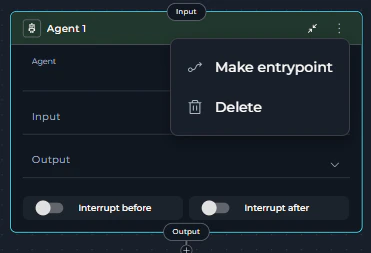
- Click the three-dots menu (⋮) on the node
- Select Make entrypoint
END Node
The END node terminates pipeline execution. It’s not a physical node but a special target for connections.When to Use END
UseEND as the connection target when:
- Pipeline has completed all work
- No further processing is needed
- You want to explicitly stop execution
How to Connect to END
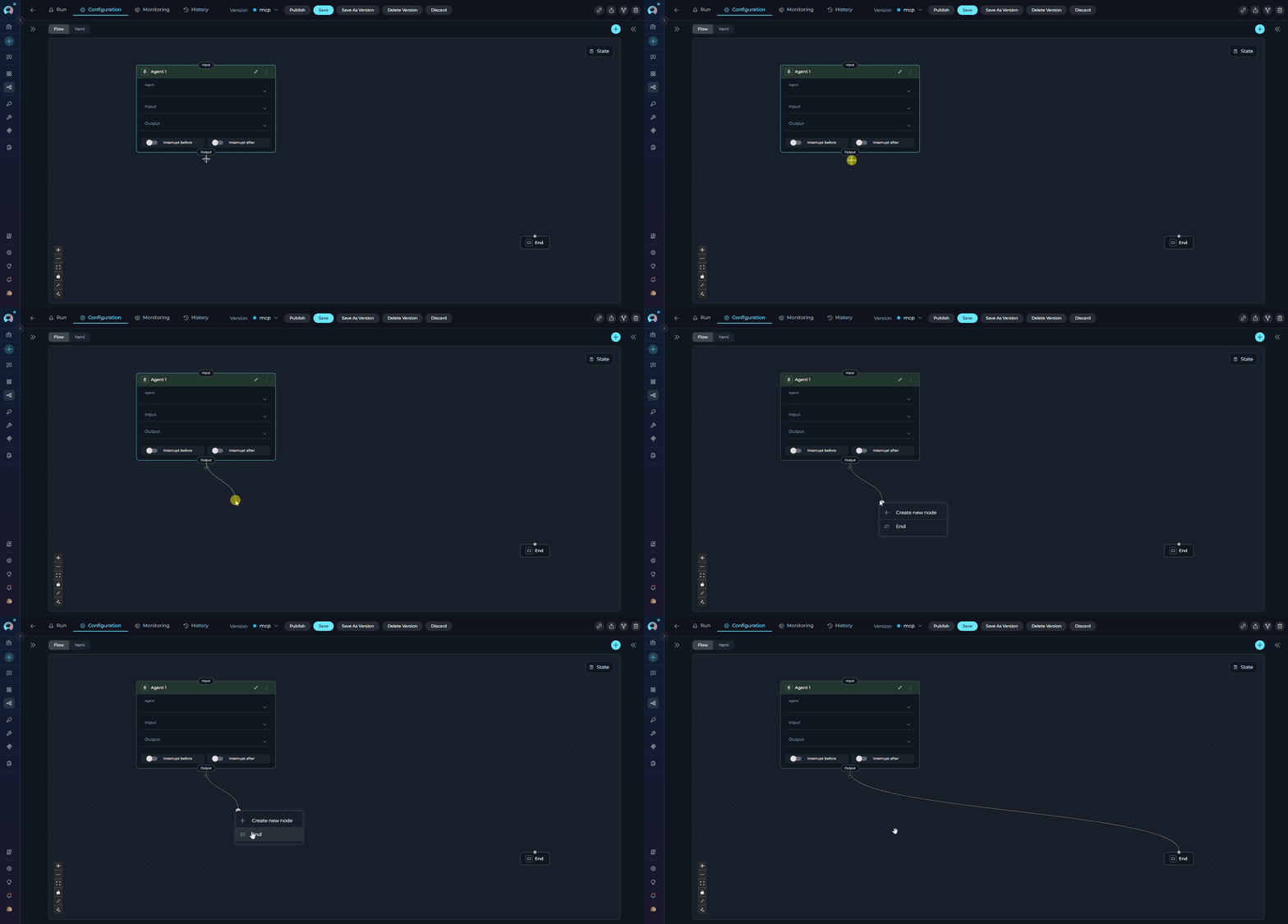
Visual Method:- Drag a connector from a node
- Release in the canvas
- Select END from the dropdown
Every execution path must eventually reach END. Paths without termination may cause unexpected behavior.
Node Input and Output Ports
All nodes have input and output ports for connectors:Connection Rules by Node Type
Standard Nodes (Single Output)
Most nodes can have only ONE output connection:- LLM
- Agent
- Toolkit
- MCP
- Code
- State Modifier
- Printer
- Decision
- Hitl
Multi-Output Nodes
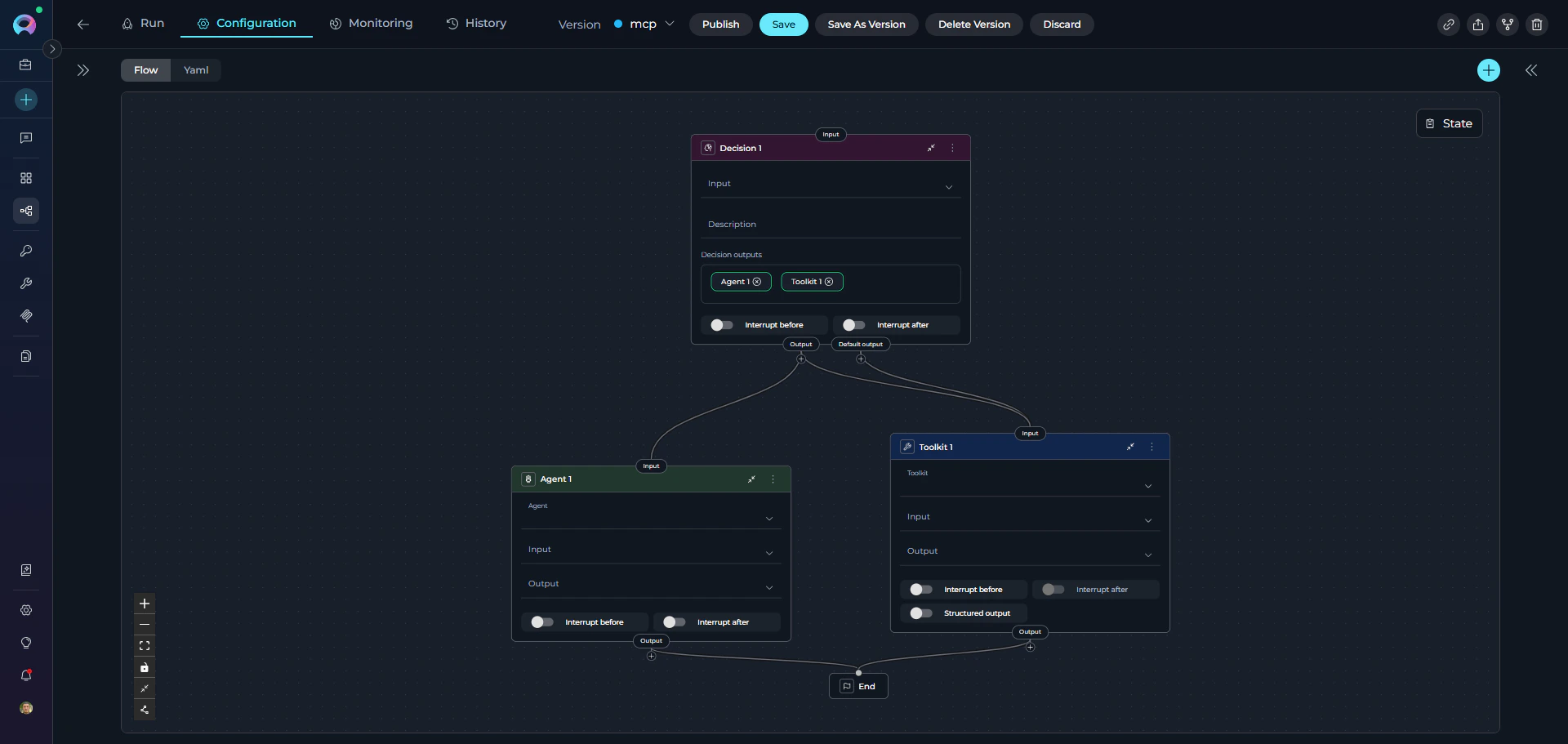
Two node types support multiple outputs:1. Router Node
Routes execution based on conditional logic. Can have:- Multiple conditional outputs: One for each defined route
- Default output: Fallback when no conditions match
2. Decision Node
LLM-powered routing to multiple destinations. YAML Example:3. HITL Node
Human-in-the-Loop routing to up to three destinations based on the user’s action. Can have:- Approve output: Routes to the next node when the user approves
- Edit output: Routes to the next node when the user edits a state variable
- Reject output: Routes to the next node when the user rejects
HITL does not use
transition or routes. Instead it uses a routes block with approve, edit, and reject keys. No default_output is needed — the user’s action determines the path.Multiple Inputs
All nodes can accept multiple input connections, allowing:- Convergence of different execution paths
- Merging results from parallel branches
- Reusing nodes in different contexts
YAML Connection Syntax
Basic Transition
Connect one node to another:Conditional Transitions (Router)
Multiple routes with default fallback:Decision-Based Transitions
LLM chooses from options:HITL Routes
Human chooses from up to three actions:Terminate Pipeline
Creating Connections Visually
ELITEA provides multiple ways to create connections in Flow mode:Method 1: Drag from Node
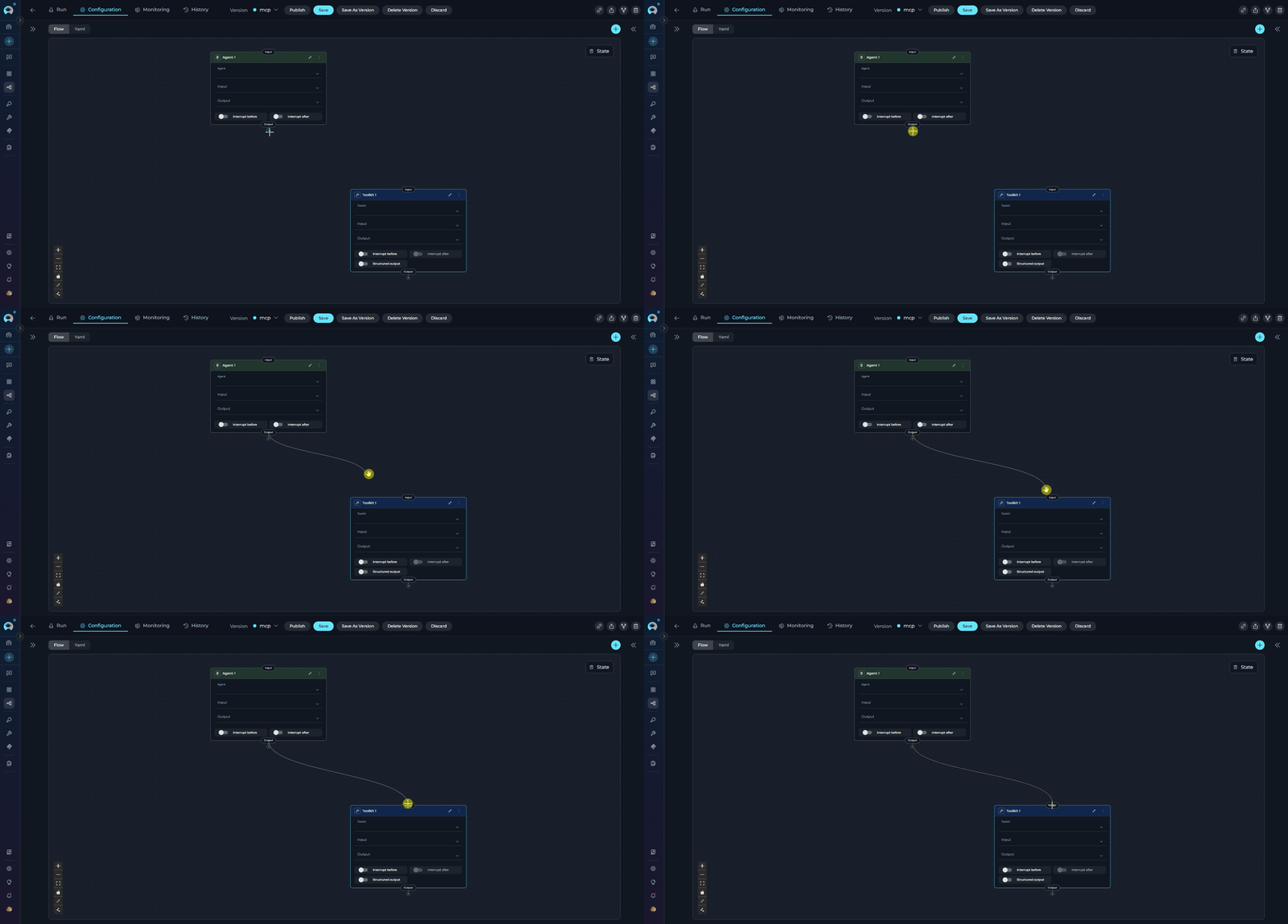
- Click and drag the output port (bottom of node)
- Drag the connector line across the canvas
- Release on the input port (top of target node)
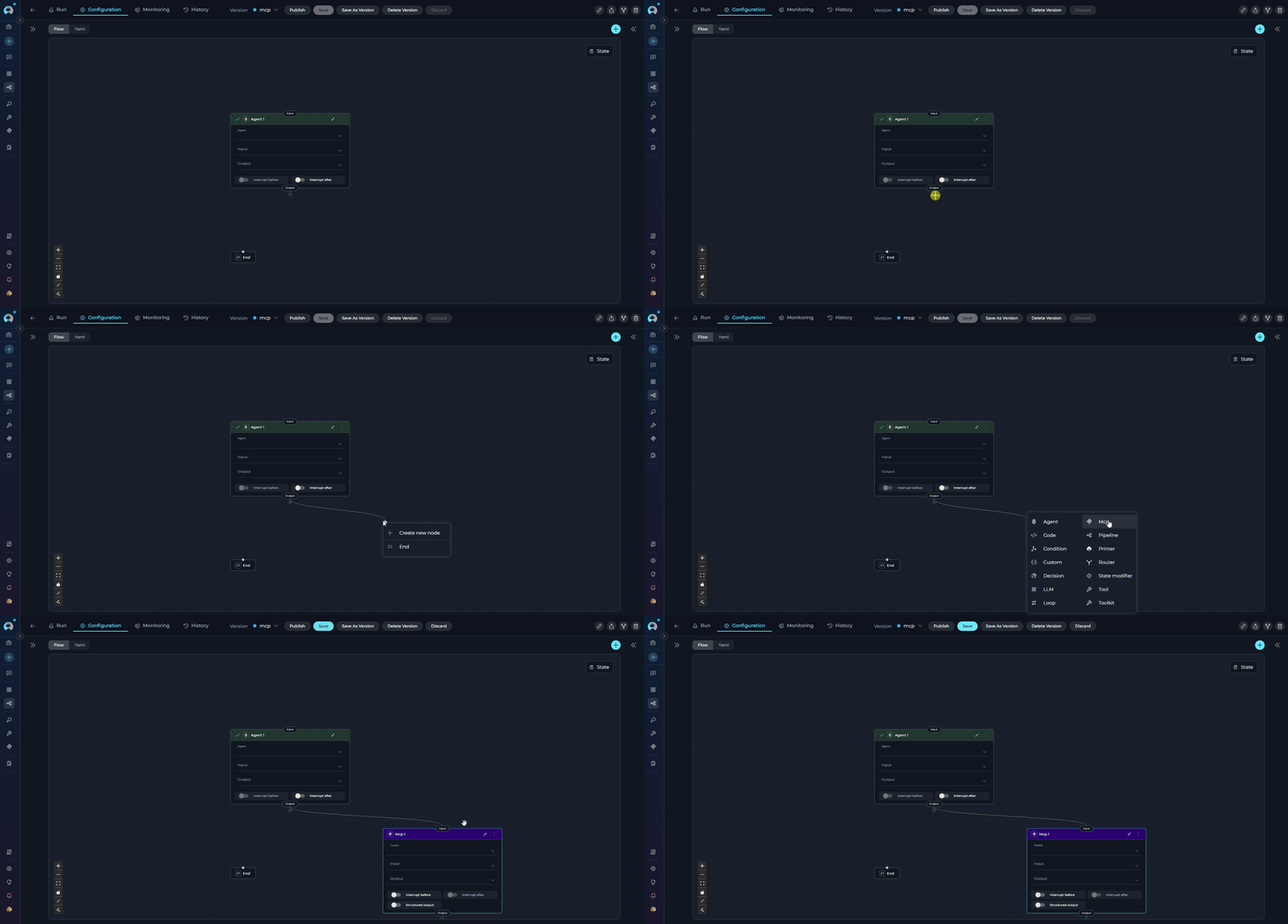
- Drag connector from output port
- Release in empty canvas area
- Select from dropdown:
- Existing nodes - Connect to available node
- Create New Node - Add and connect new node
- END - Terminate pipeline
Interrupt Options
Interrupt Before and Interrupt After are advanced options that pause pipeline execution for human review or intervention.Interrupt Before
Pauses before a node runs. Useful for:- Reviewing inputs before critical operations
- Confirming decisions before irreversible actions
- Manual data validation
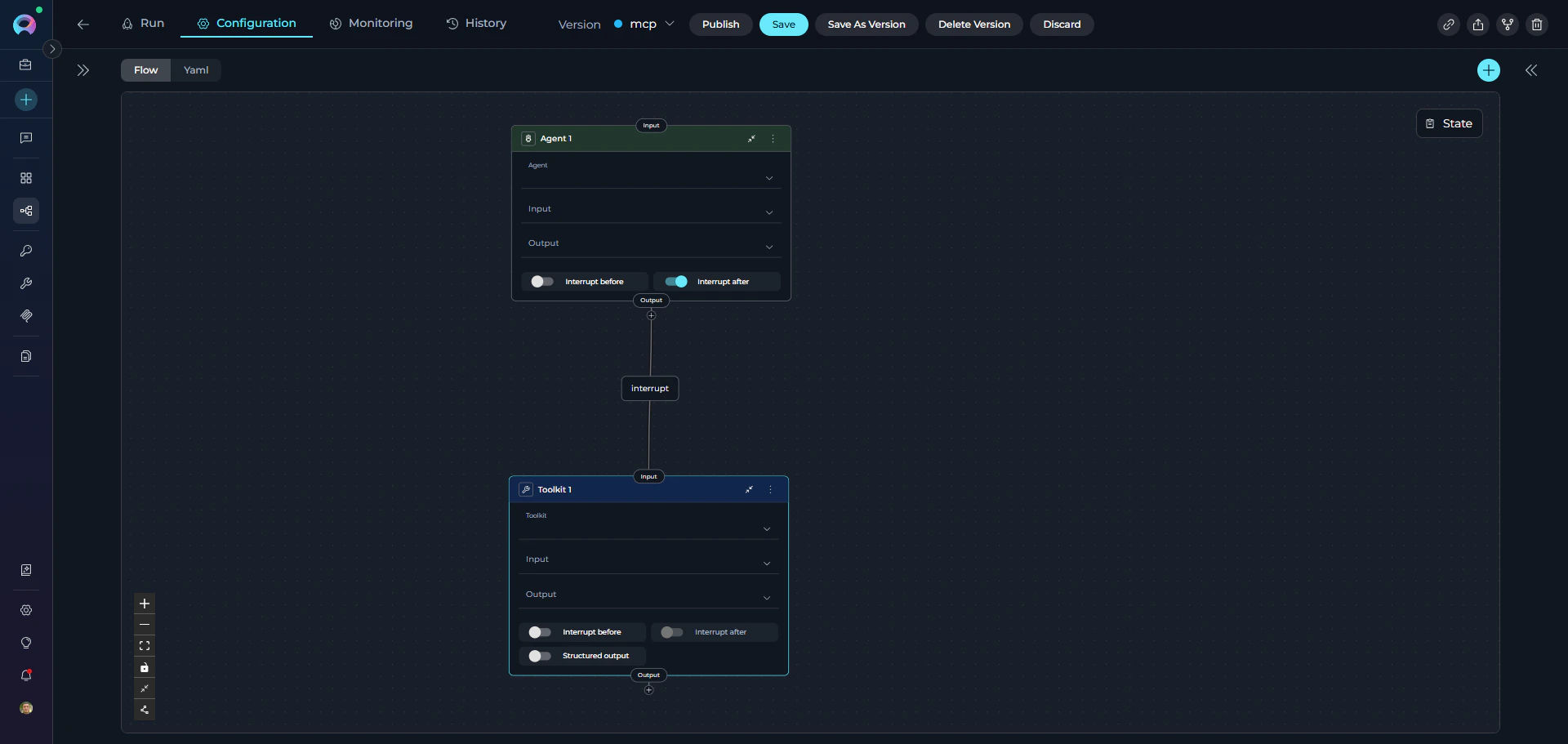
Interrupt After
Pauses execution after a node completes. Useful for:- Reviewing outputs before proceeding
- Verifying LLM results
- Allowing human feedback
Connection Patterns
Linear Flow
Sequential execution through nodes.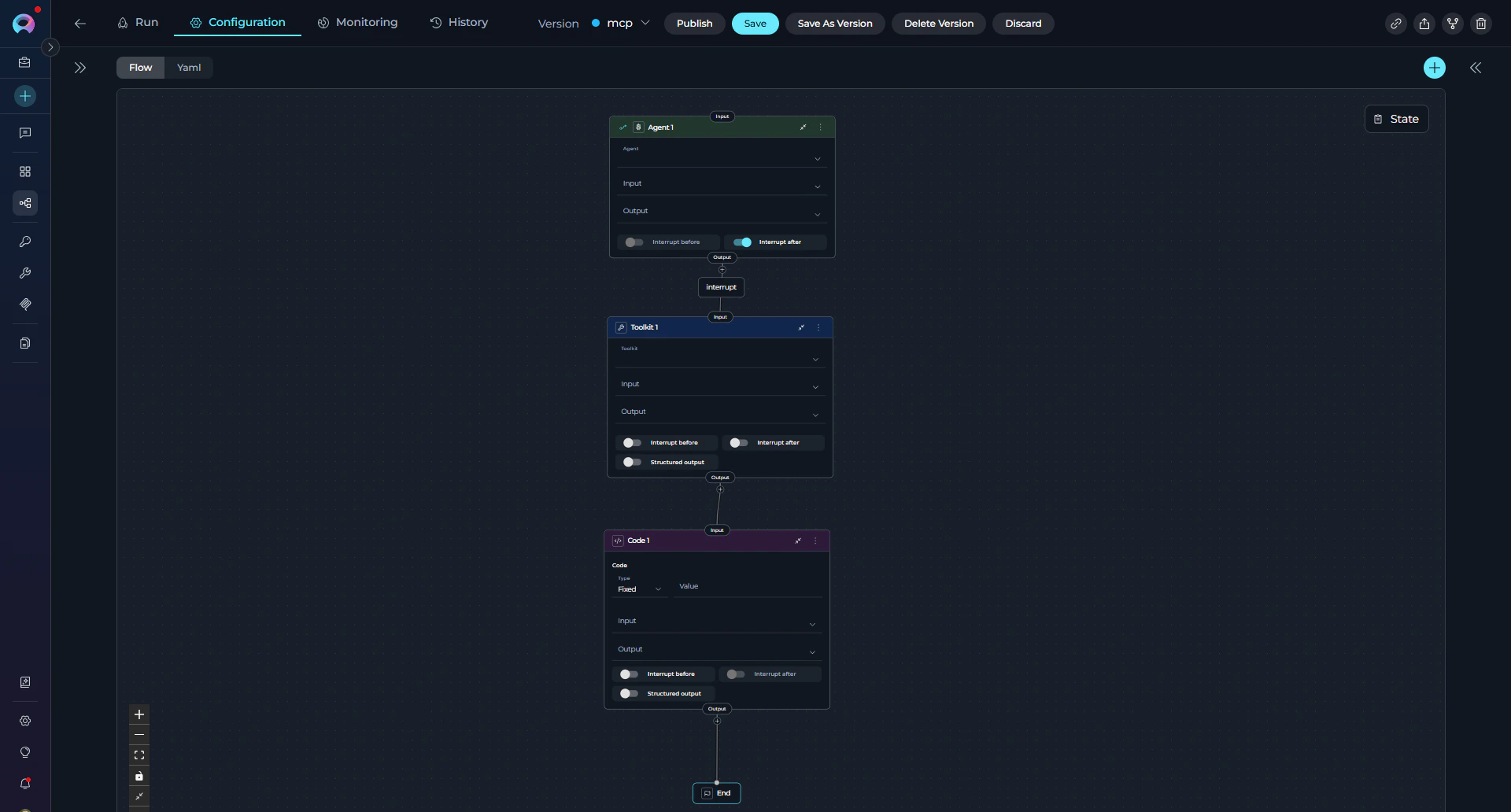
Multi-Path Routing
Multiple branches based on complex logic.Converging Paths
Multiple branches merge into single node.Human Approval Gate
Pause execution for a human decision before proceeding.Best Practices
Essential Rules
Connection Guidelines
- Use Descriptive Names:
Validate User Inputinstead ofNode1 - Add Default Routes: Provide fallback for Router nodes
- Test Incrementally: Build and test step-by-step
- Limit Nesting: Keep pipeline structure clear and maintainable