

What is an Entry Point?
The entry point defines which node executes first when your pipeline runs and controls how the pipeline is triggered. When a node is designated as the entry point, a Trigger selector appears inside the node body, letting you choose between three trigger modes:Chat Message, Schedule, and Webhook.
Key Rules
Single Entry Point
Exactly one node must be designated as the entry point. Pipeline execution always begins at this node. Setting a new entry point automatically removes the previous designation.
Auto-Assignment
When the first node is added to an empty pipeline, it is automatically designated as the entry point. Only Condition and End nodes are excluded from auto-assignment.
Can Be Entry Points
LLM, Agent, Toolkit, MCP, Code, Printer, Router, State Modifier, HITL, Subgraph, Custom
Cannot Be Entry Points
Condition (deprecated), Decision
Setting an Entry Point
Visual Method (Flow Editor)
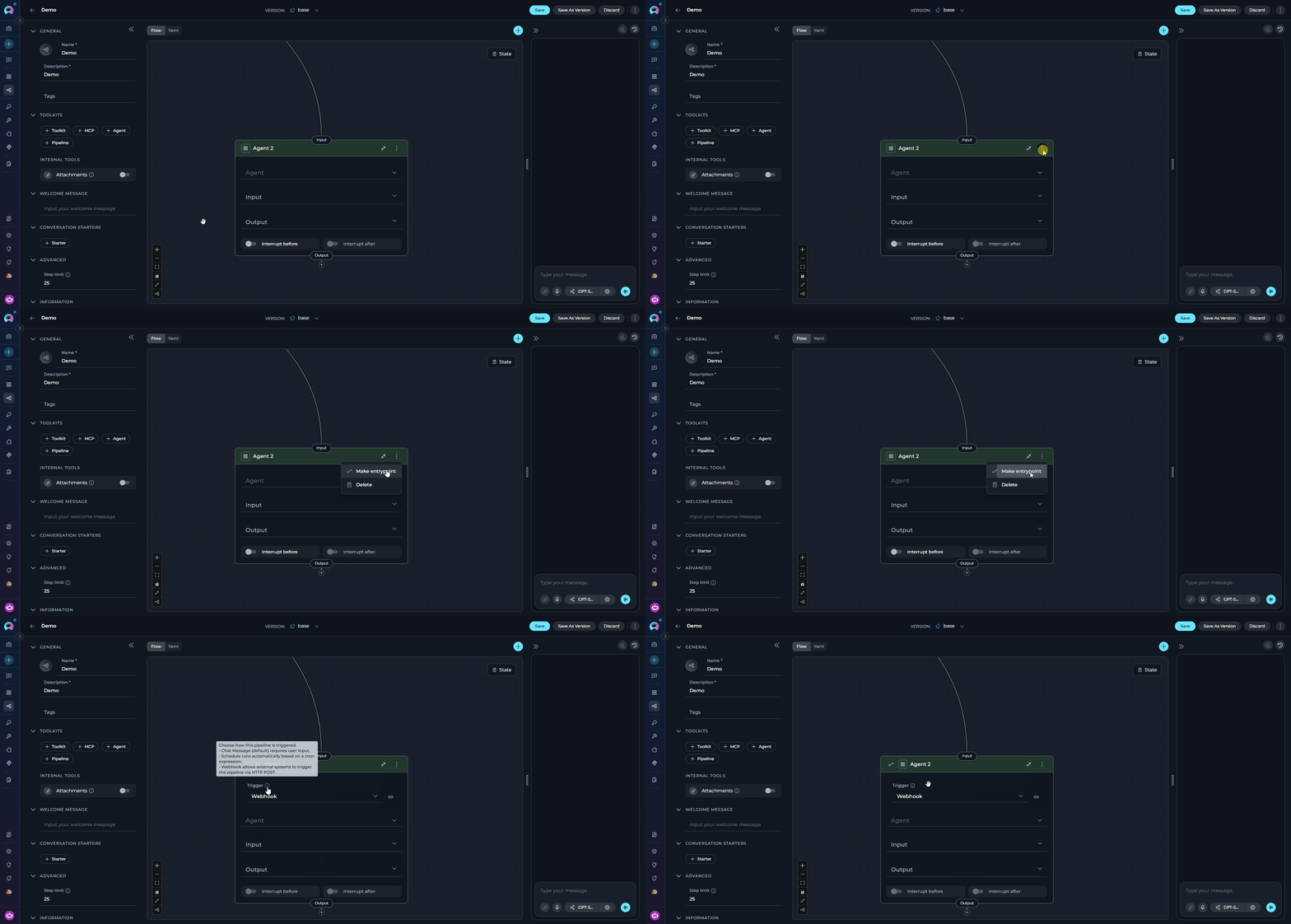
- Open your pipeline in the Flow Editor
- Expand the node card by clicking on it
- Click the three dots (⋮) in the node header
- Select Make entrypoint from the dropdown
YAML Method
In YAML configuration, declare the entry point at the top level using the node’sid:
state → entry_point → interrupt_after → interrupt_before → nodes.
Trigger configuration (schedule, webhook) is stored server-side and is not part of the pipeline YAML. The YAML only contains the
entry_point node ID.Trigger Type
When a node is the entry point, a Trigger dropdown appears inside the node body. This controls how the pipeline is started.Chat Message
Default trigger. The pipeline runs each time a user sends a message in a chat session. Required for interactive pipelines with HITL or Printer nodes.
Schedule
Runs automatically at a defined time using a cron expression. Supports a visual cron builder or raw cron input.
Webhook
Allows external systems to trigger the pipeline via HTTP POST. Supports GitHub, GitLab, and Custom webhook types.
Schedule and Webhook triggers are unavailable when the pipeline contains HITL nodes, Printer nodes, or interrupt configurations. Only Chat Message is available for interactive pipelines.
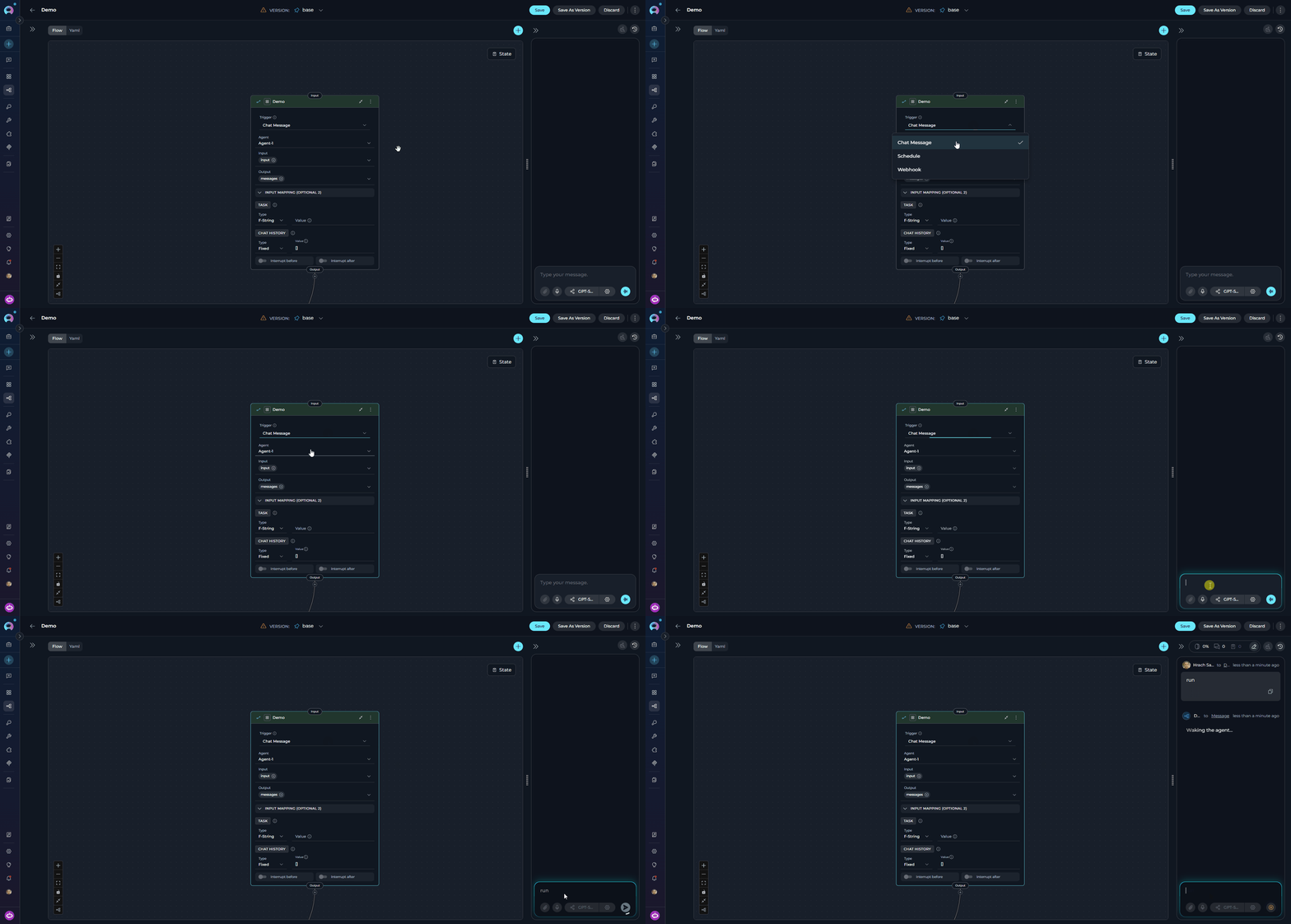
Chat Message
The default trigger. The pipeline runs each time a user sends a message in a chat session.- Required when the pipeline contains HITL nodes, Printer nodes, or any
interrupt_before/interrupt_afterconfigurations - If an interactive element (HITL, Printer) is added while Schedule or Webhook is active, the trigger automatically resets to Chat Message
Schedule
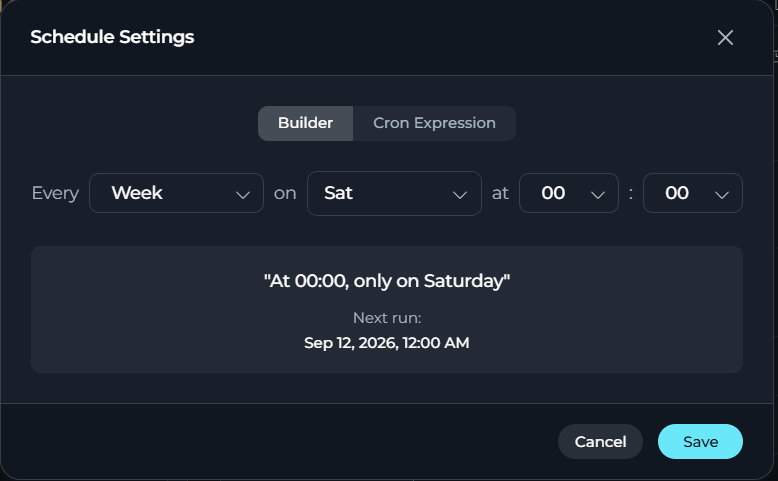
The pipeline runs automatically at a defined time using a cron expression. Selecting Schedule opens a configuration modal with two modes:- Default cron expression:
0 0 * * 6(every Saturday at midnight) - Timezone is automatically detected from your browser settings
- Cron format:
minute – hour – day (month) – month – day (week)
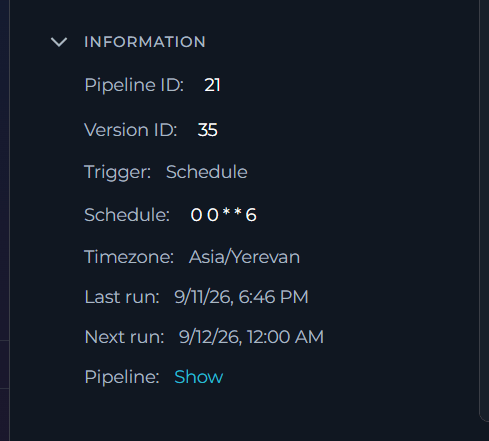
Next run information refreshes automatically after you update the schedule, turn it on or off, or the pipeline executes. See INFORMATION for the full list of fields shown in this accordion.
Webhook
The pipeline runs when an external system sends an HTTP POST request to the generated webhook URL.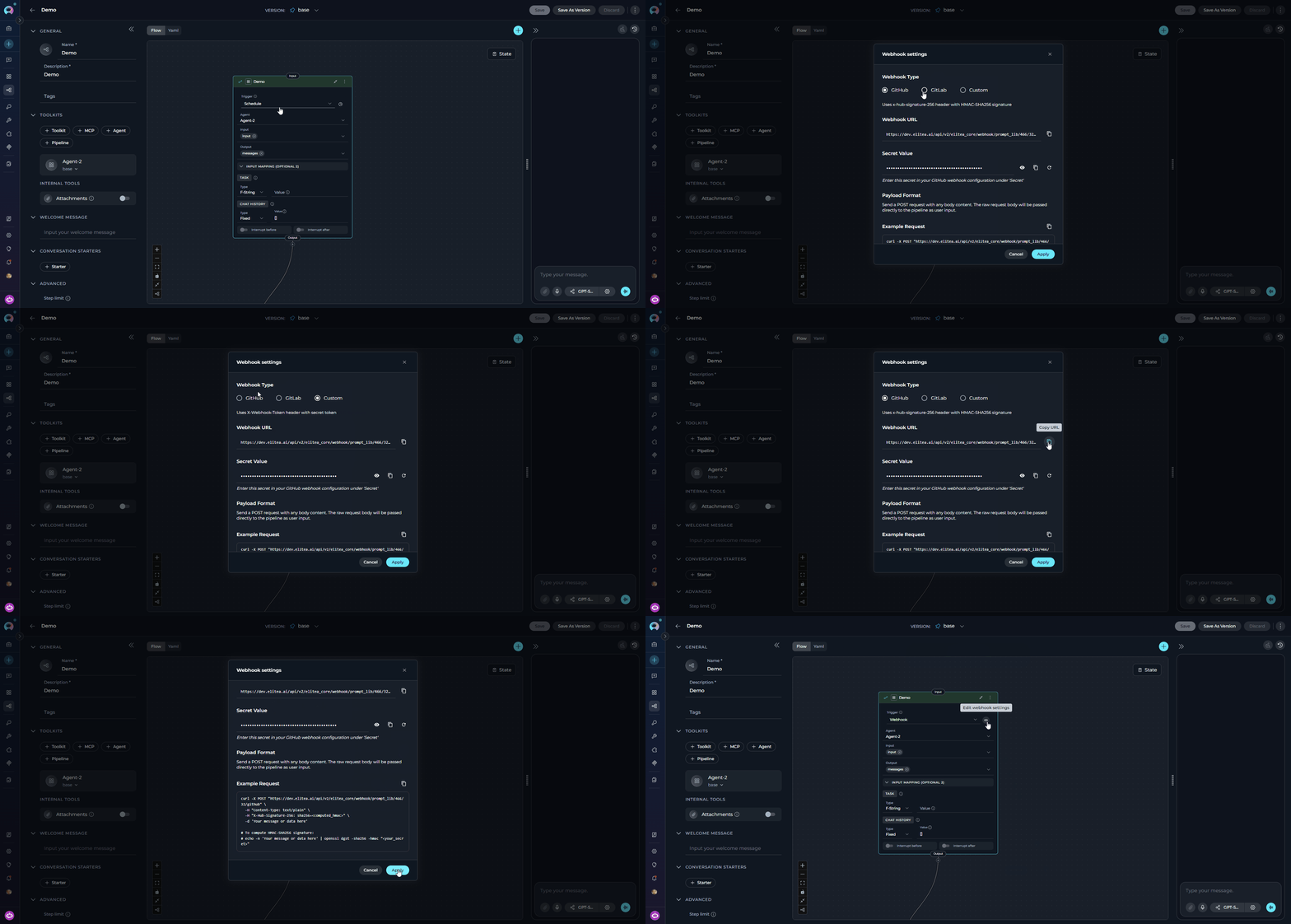
The modal shows:
GitHub example:
GitLab Authentication Methods
Selecting GitLab as the webhook type reveals an Authentication choice with two methods: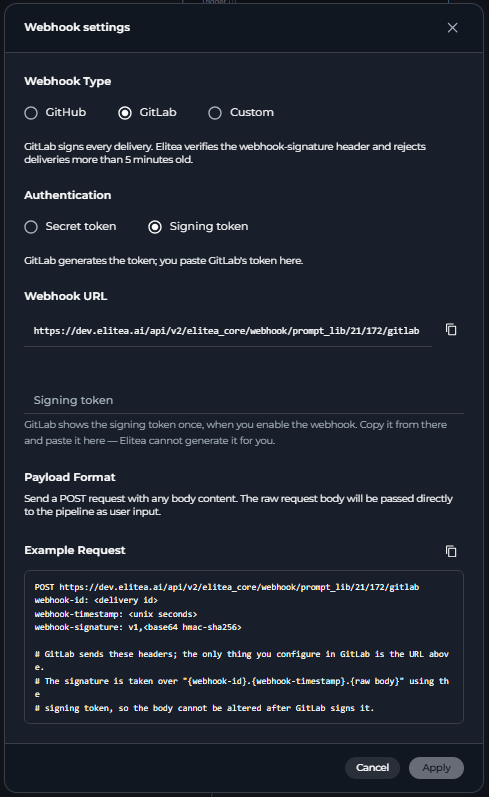
Existing GitLab webhooks keep working unchanged — Secret token is the default and matches the original behavior. Switching to Signing token does not erase the secret-token value; switching back later restores it.
whsec_<base64> — GitLab shows it only once). ELITEA cannot generate or regenerate this value; it only checks that the pasted value starts with whsec_ and decodes to a usable key. There is no show/hide or copy control for it, since it is never generated by ELITEA.
ELITEA validates each delivery by checking the webhook-signature header (format v1,<base64 HMAC-SHA256>, computed over "{webhook-id}.{webhook-timestamp}.{raw request body}") and rejects any delivery whose webhook-timestamp is more than 5 minutes away from the current time. X-Gitlab-Token is not required or checked in Signing token mode.
Best Practices
Match trigger to workflow type
Match trigger to workflow type
Use
Chat Message for interactive conversational pipelines; use Schedule for automated batch processing; use Webhook for event-driven integration with external systems.Interactive pipelines require Chat Message
Interactive pipelines require Chat Message
Any pipeline with HITL or Printer nodes must use the
Chat Message trigger. Schedule and Webhook triggers are automatically disabled for such pipelines.Match entry_point value to a node id
Match entry_point value to a node id
In YAML configuration, ensure the
entry_point value exactly matches a node id defined in the nodes list.Protect webhook secrets
Protect webhook secrets
Regenerate the secret if it is ever exposed. Always copy it immediately after generation — it cannot be retrieved once the modal is closed without regenerating. For GitLab’s Signing token method, there is no regenerate option in ELITEA — generate a new signing token in GitLab itself and paste the new value in.
Prefer GitLab's Signing token method
Prefer GitLab's Signing token method
GitLab’s Secret token method sends the token in a plain header on every delivery; Signing token instead has GitLab sign each delivery with HMAC-SHA256 and includes replay protection (deliveries older than 5 minutes are rejected). Prefer Signing token for new GitLab webhooks when your GitLab instance supports it.
- Node Connectors - Connect nodes to create workflows
- State Management - Understand state in pipelines
- Flow Editor - Visual pipeline building
- Control Flow Nodes - Router and Decision nodes
- YAML Configuration - Complete YAML syntax reference