

This guide covers migration from version 1.6 and later. If you’re migrating from earlier versions, additional steps may be required.
For LLM node-specific changes and configurations, also read about LLM Node Changes in the migration guide. This covers important updates to LLM node behavior and configuration that complement the pipeline migration steps outlined in this document.
Function Node Changes (Version 1.7+)
Issue Description
In version 1.7, “Function” nodes were significantly modified and can now only be used with toolkits. Any Function nodes containing agents or prompts will appear empty after migration.Migration Steps
For Agent-Based Function Nodes Identify Affected Nodes: Look for Function nodes that previously contained agents or prompts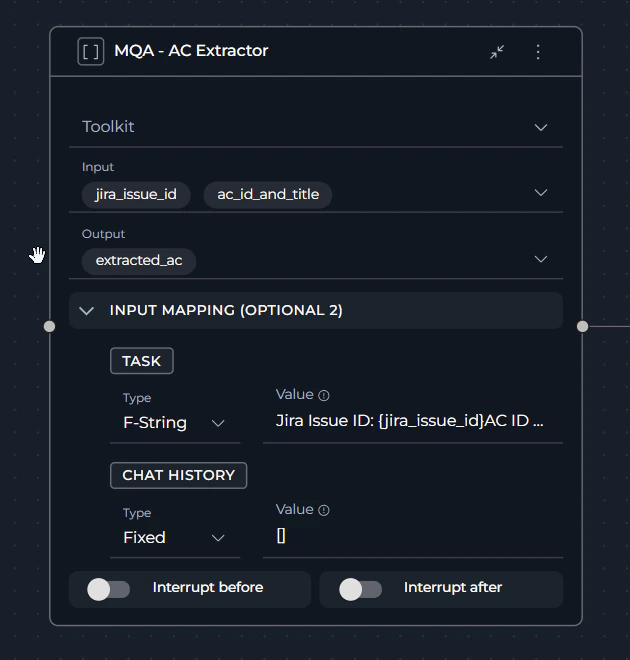
- Replace with an Agent node:
- Delete the existing Function node.
- Add a new Agent node type and integrate it into the flow (add all required connections).
- Select the appropriate agent from the dropdown.
- Configure input/output: Set up the input and output connections as they were in the original Function node.
- Add task description: Fill in the task field — this is crucial as it triggers the agent execution.
Prompt Entity Removal (Version 1.7+)
Issue Description
In version 1.7, the prompt entity was removed from ELITEA. Previously existing prompts were automatically converted to agents, but pipeline references may need manual updates.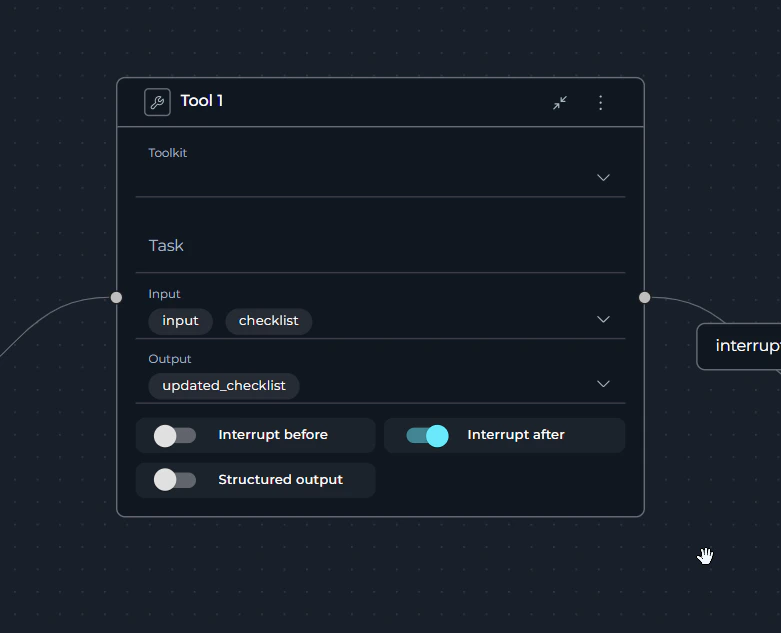
Migration Steps
For Tool Nodes Using Prompts- Identify legacy Tool nodes: Find Tool nodes that reference converted prompts (now agents).
- Replace with Agent nodes:
- Remove the existing Tool node.
- Add a new Agent node.
- Select the converted agent (formerly a prompt) from the agent dropdown.
- Configure parameters:
- Set up input connections.
- Configure output handling.
- Add the required task description.
- Validate conversion: Test the pipeline to ensure the converted prompt-to-agent functions correctly.
Node Disconnection Issues
Issue Description
When replacing nodes that are followed by Decision, Condition, or Router nodes, there is a high probability that connections will be lost after migration or node replacement. This is a known limitation in current ELITEA versions.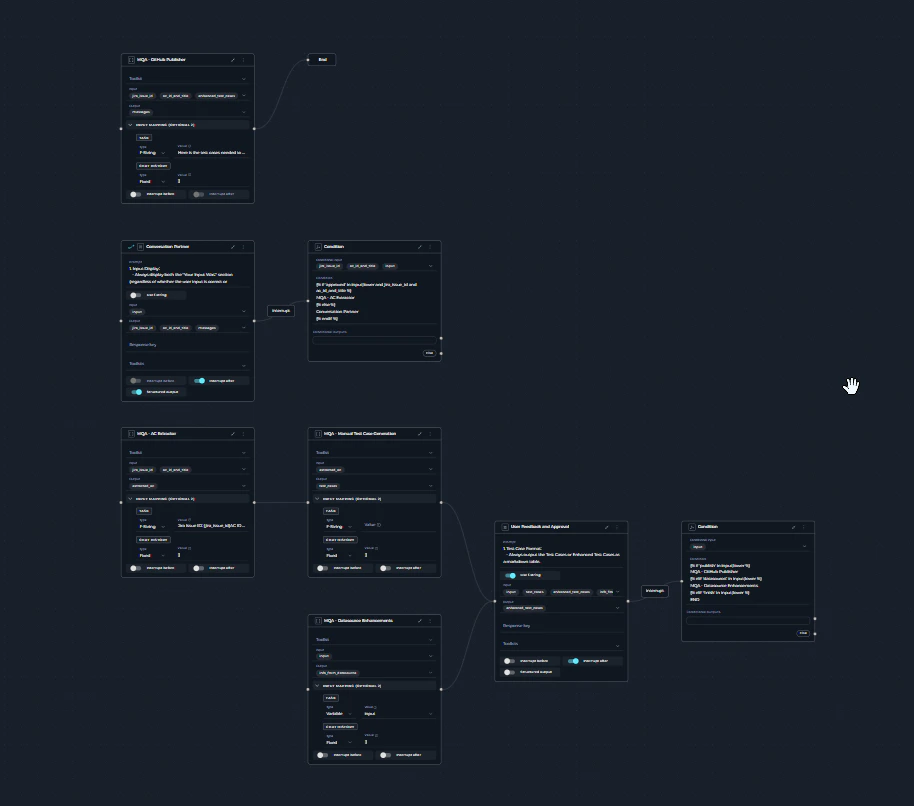
Workaround Steps
- Document connections: Before making changes, take screenshots or save a copy of the pipeline YAML (or create a new pipeline version) to preserve the connection sequence.
- Replace nodes: Perform the necessary node replacements as described above.
- Save pipeline: Save your changes.
- Reconnect nodes: Manually reconnect the nodes to their proper destinations:
- Decision nodes: Reconnect to the appropriate conditional branches.
- Condition nodes: Reestablish logical flow connections.
- Router nodes: Restore routing configurations.
- Test connections: Verify all connections work as expected.
State Format Changes
Issue Description
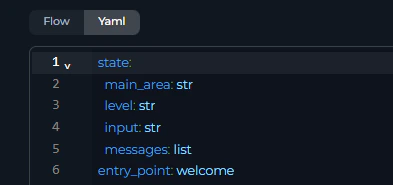
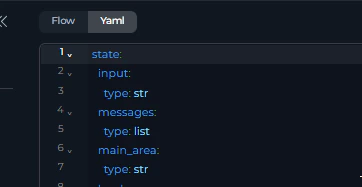
The state format was changed in YAML configuration for pipelines. Some existing pipelines may encounter state format errors when running.Error Symptoms
You may see the following format-related errors when running pipelines, typically indicating incompatible YAML state formatting.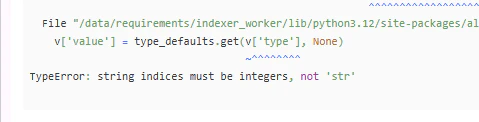
Resolution Methods
Method 1: Automatic Format Update- Edit state variables: Navigate to your pipeline’s state variables.
- Make minor changes: Add a new temporary state variable or modify an existing one and save the pipeline.
- Save changes: The system will automatically convert the state format to the current version.
- Remove temporary changes: Delete any temporary variables you added.
- Access state configuration: Open the pipeline YAML state variables section.
- Review current format: Compare against the current YAML state format requirements.
- Update manually: Modify the state configuration to match the current format specifications.
- Validate format: Ensure the YAML syntax is correct and compatible.
The easiest approach is Method 1: simply add a temporary state variable, save the pipeline, then remove the temporary variable. This triggers automatic format conversion.
Pre-1.7 Agent toolkit Compatibility Issues
Issue Description
Agents and pipelines that were created before version 1.7 may encounter compatibility issues when using attached toolkits. This affects pipeline execution.Error Symptoms
When trying to run pipelines containing pre-1.7 agents, you may encounter the following error: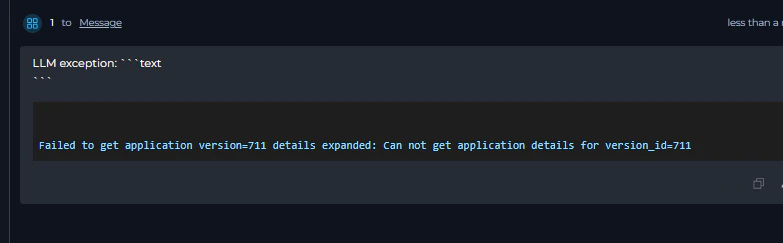

Warning Messages
Additionally, you may see warning messages related to attached toolkits and agents containing toolkits: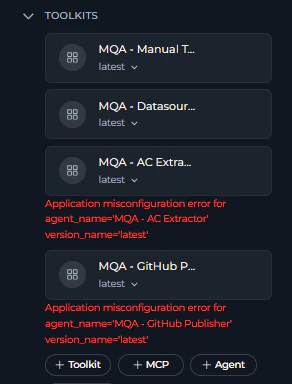
Resolution Steps
For pipelines with pre-1.7 agents- Identify affected toolkits: Review all toolkits attached to the pipeline or nested agents.
- Update toolkit configuration:
- Open each affected toolkit.
- Select or create new credentials for it.
- Deselect obsolete tools, if any.
- Test toolkit functionality: Verify that the updated toolkit works correctly in isolation.
Getting Help
If you encounter issues during migration:- Check error messages: Review detailed error messages (usually shown at the end) for guidance; look for node or variable names that indicate the issue.
- Contact support: For complex issues, contact support at SupportAlita@epam.com.
- Pipeline version information
- Specific error messages
- Screenshots of the problematic configurations
- Description of attempted migration steps.