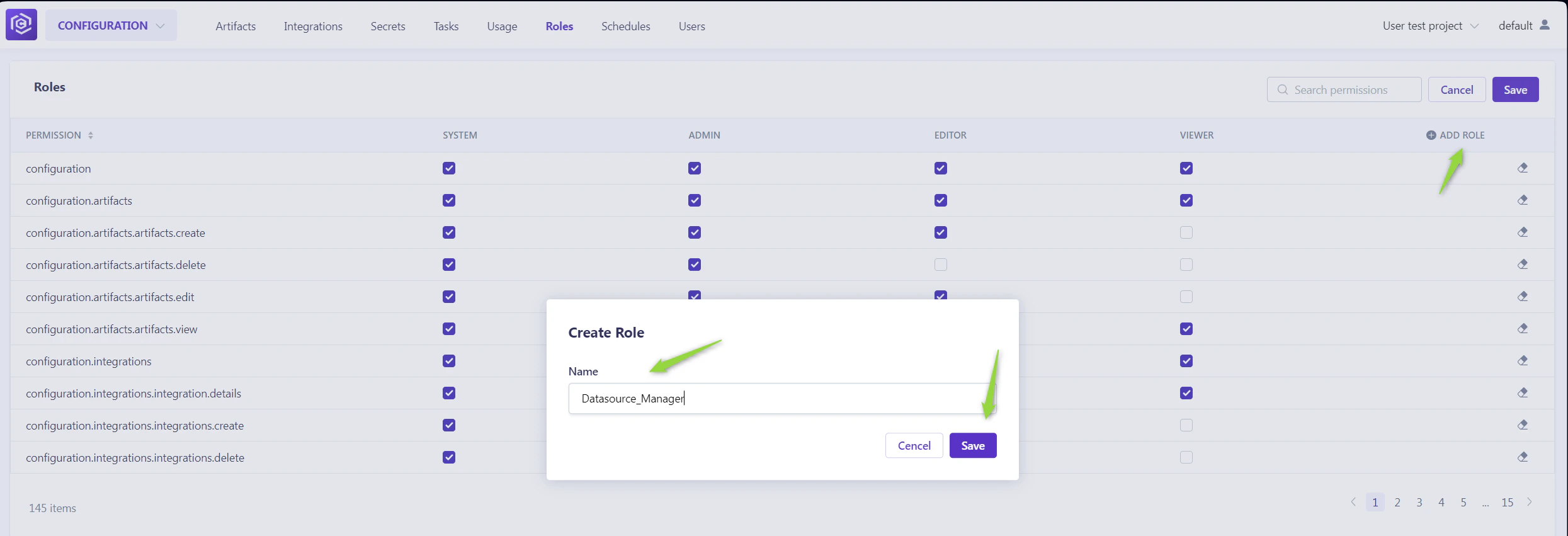
How to access Admin menu:
- Navigate to
{base_URL}/~/administration/~/configuration/roles/. - Select the project from the dropdown list for which you want to set up or adjust the admin settings.
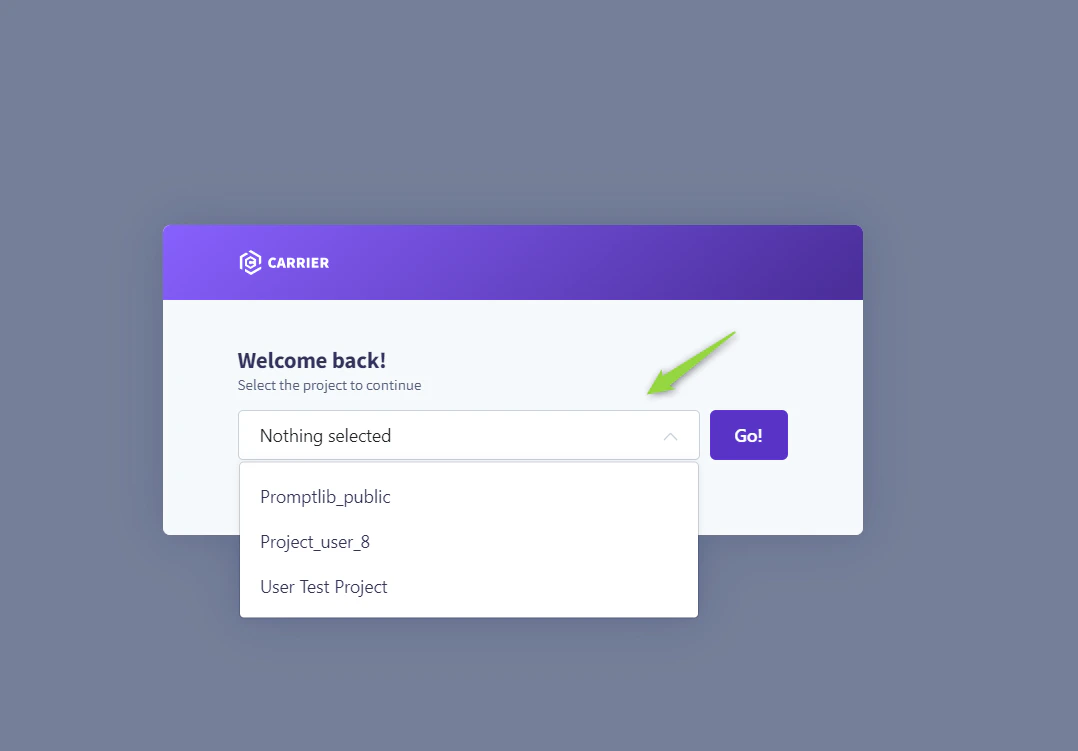
Roles Menu
The Roles menu allows for the detailed configuration of permissions across default and custom roles, tailoring access to the project’s needs. Default Roles:- System: Grants comprehensive permissions, including additional administrative capabilities.
- Admin: Allows full project access and user management.
- Editor: Provides editing rights within the project without administrative privileges.
- Viewer: Limits access to viewing permissions, excluding any create, read, update, delete (CRUD) actions.
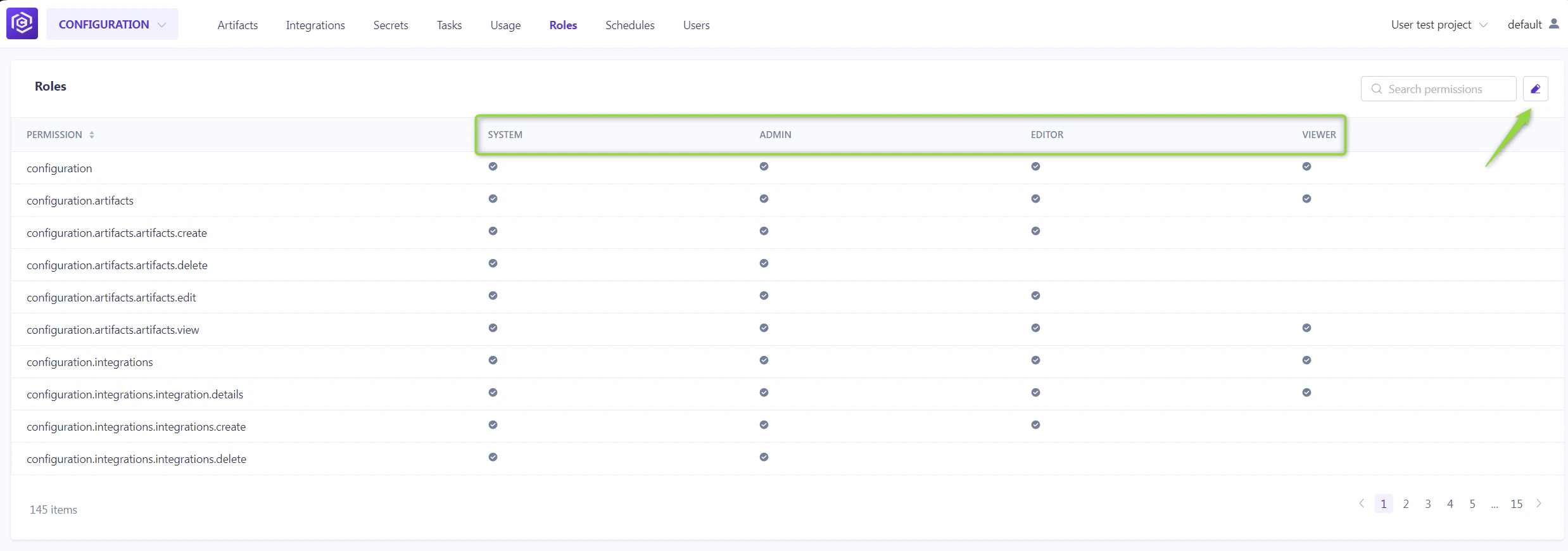
- Click the Edit roles icon.
- Toggle the checkboxes for each permission as needed.
- Click the Save to apply changes.
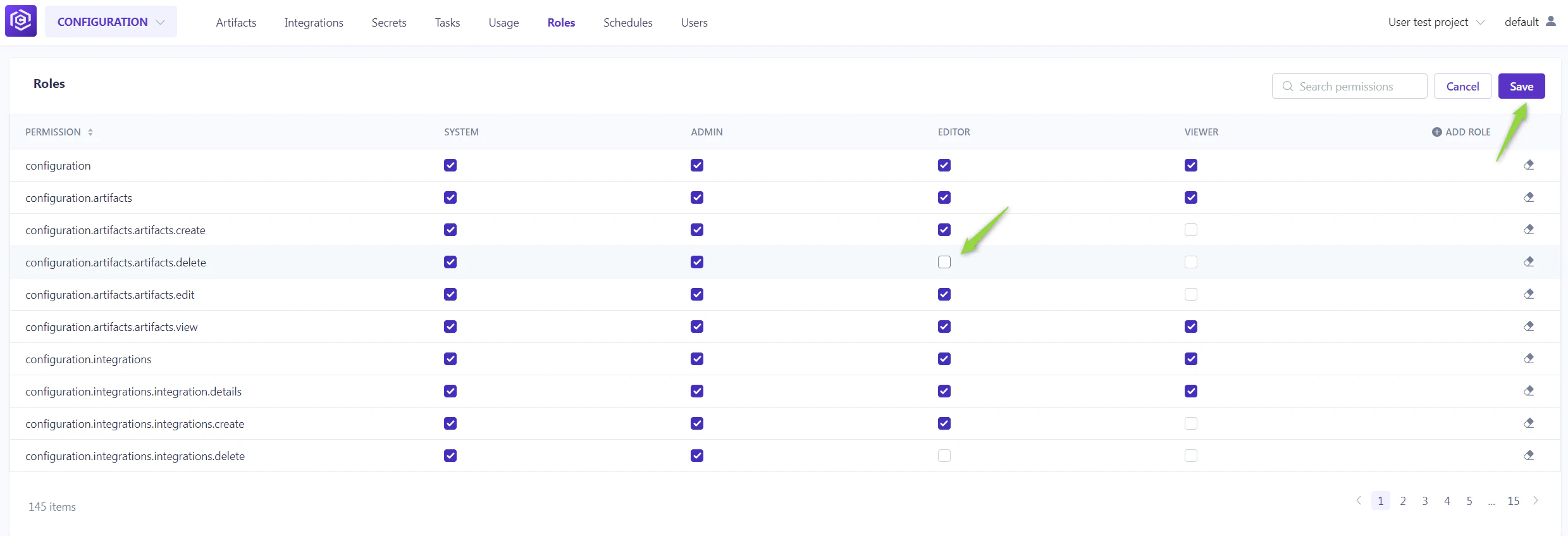
- Click Edit roles.
- Then Add role. After naming the new role, select the desired permissions.
- This custom role will now be available for assignment in the ELITEA HUB→Settings→Projects menu.