> ## Documentation Index
> Fetch the complete documentation index at: https://docs.elitea.ai/llms.txt
> Use this file to discover all available pages before exploring further.
# Help Center
> Help Center is a central hub for ELITEA documentation, release notes, video walkthroughs, tutorials, and interactive tours — all curated and configured by your administrator.
## Introduction
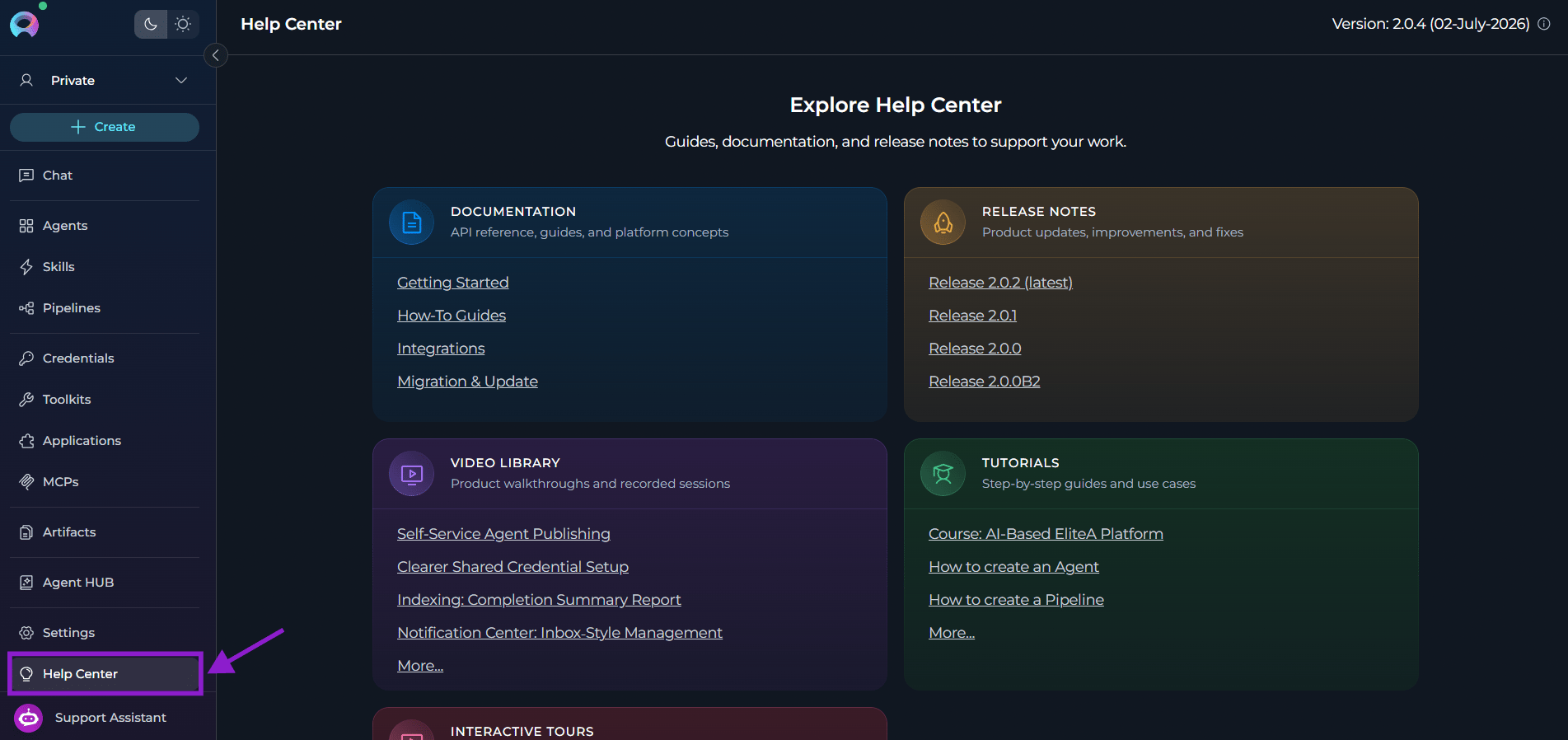
**Help Center** gives access to all ELITEA learning and reference materials.
API references, guides, and platform concepts for your version of ELITEA.
ELITEA updates, improvements, and bug fixes.
ELITEA walkthroughs and recorded sessions at your own pace.
Step-by-step guides and use-cases to learn core workflows.
EGuided in-product tours.
Help Center content is configured by your platform administrator. No links will appear on the page unless they are enabled by your administrator. If Help Center appears empty, contact your administrator to configure the available content.
## How to Get to the Help Center
Click the **Help Center** button in the sidebar.
* When the sidebar is **expanded**, you will see the **Help Center** label.
* When the sidebar is **collapsed**, you will see only its icon. Hover over it to see the **"Help Center"** tooltip.
 ## Help Center Content
In Help Center, you get the links to these guides and references:
| | Default title | Default description |
| --------------------- | ----------------- | -------------------------------------------------- |
| **Documentation** | Documentation | API reference, guides, and platform concepts |
| **Release notes** | Release notes | ELITEA updates, improvements, and fixes |
| **Video library** | Video library | ELITEA walkthroughs and recorded sessions |
| **Tutorials** | Tutorials | Step-by-step guides and use cases |
| **Interactive tours** | Interactive tours | Guided tours to explore key features and workflows |
Your administrator can customize titles and descriptions and add specific links. If any section has no links configured, it displays **"No links configured"**.
## ELITEA Version and System Information
When enabled by your administrator, the **Help Center** header displays the current platform version and its upgrade date.
If you hover over the **info icon** next to the version label, you will see the list of all installed plugins and their versions.
## Help Center Content
In Help Center, you get the links to these guides and references:
| | Default title | Default description |
| --------------------- | ----------------- | -------------------------------------------------- |
| **Documentation** | Documentation | API reference, guides, and platform concepts |
| **Release notes** | Release notes | ELITEA updates, improvements, and fixes |
| **Video library** | Video library | ELITEA walkthroughs and recorded sessions |
| **Tutorials** | Tutorials | Step-by-step guides and use cases |
| **Interactive tours** | Interactive tours | Guided tours to explore key features and workflows |
Your administrator can customize titles and descriptions and add specific links. If any section has no links configured, it displays **"No links configured"**.
## ELITEA Version and System Information
When enabled by your administrator, the **Help Center** header displays the current platform version and its upgrade date.
If you hover over the **info icon** next to the version label, you will see the list of all installed plugins and their versions.
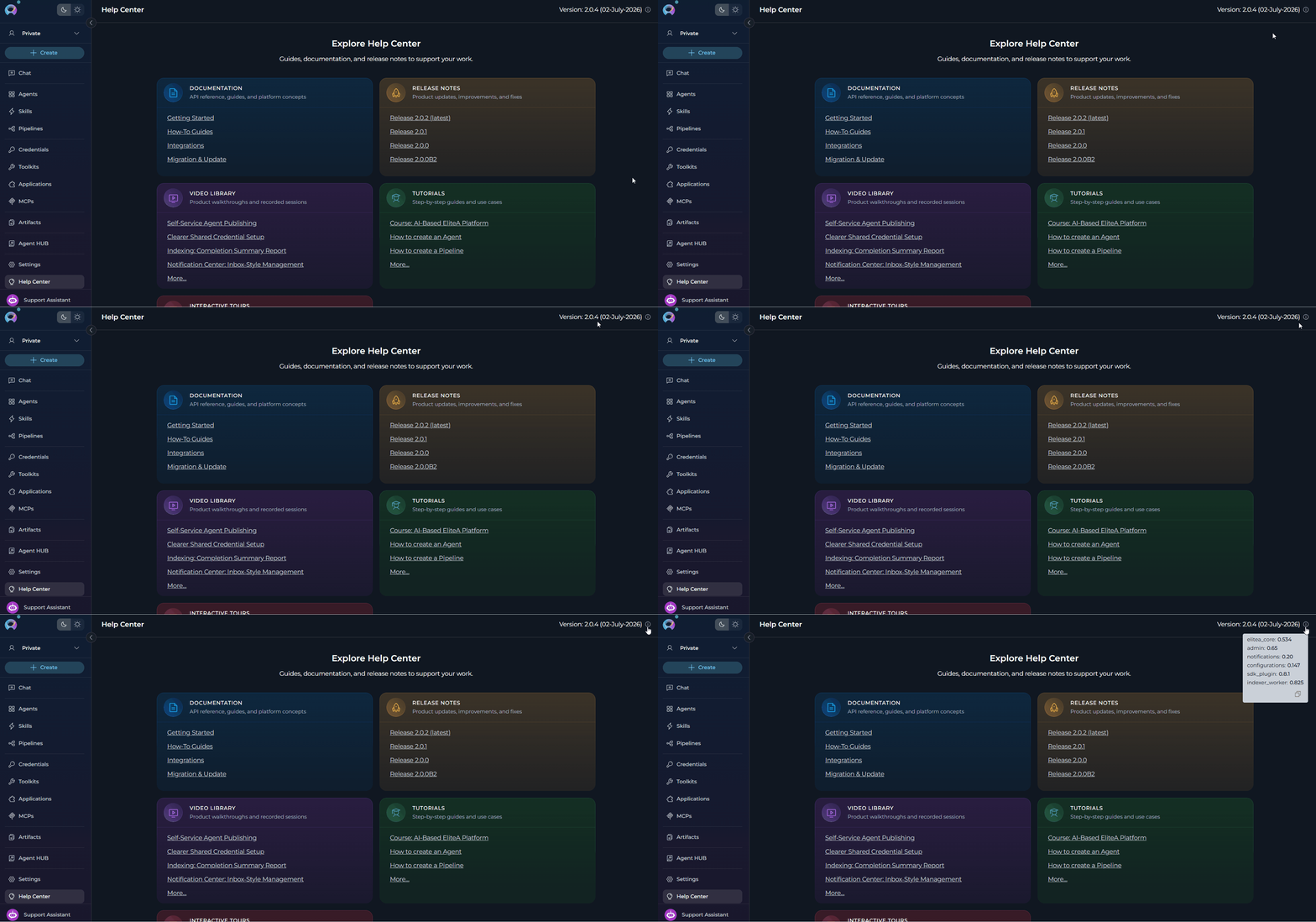 You will see the ELITEA version and plugins only if your administrator has enabled the information display and provided the version data. If no version data appears in the header, the feature is not configured on your environment.
***
* [Settings → AI Configuration](./settings/ai-configuration) — Configure AI models used across the platform.
* [Support Assistant](./support-assistant) — Get in-context help from the AI-powered support widget.
* [Contact Support](../support/contact-support) — Reach the ELITEA Support Team for issues not covered in this guide.
You will see the ELITEA version and plugins only if your administrator has enabled the information display and provided the version data. If no version data appears in the header, the feature is not configured on your environment.
***
* [Settings → AI Configuration](./settings/ai-configuration) — Configure AI models used across the platform.
* [Support Assistant](./support-assistant) — Get in-context help from the AI-powered support widget.
* [Contact Support](../support/contact-support) — Reach the ELITEA Support Team for issues not covered in this guide.